
Most POS software was built for stores that sell off a shelf, not for repair shops. Ledger Desk starts from the repair ticket and follows it all the way to the money: one ticket carries the bill, commissions are paid on real profit, and customers sign and pay on a tablet in English or Spanish. Here’s why it’s the one I’d recommend.

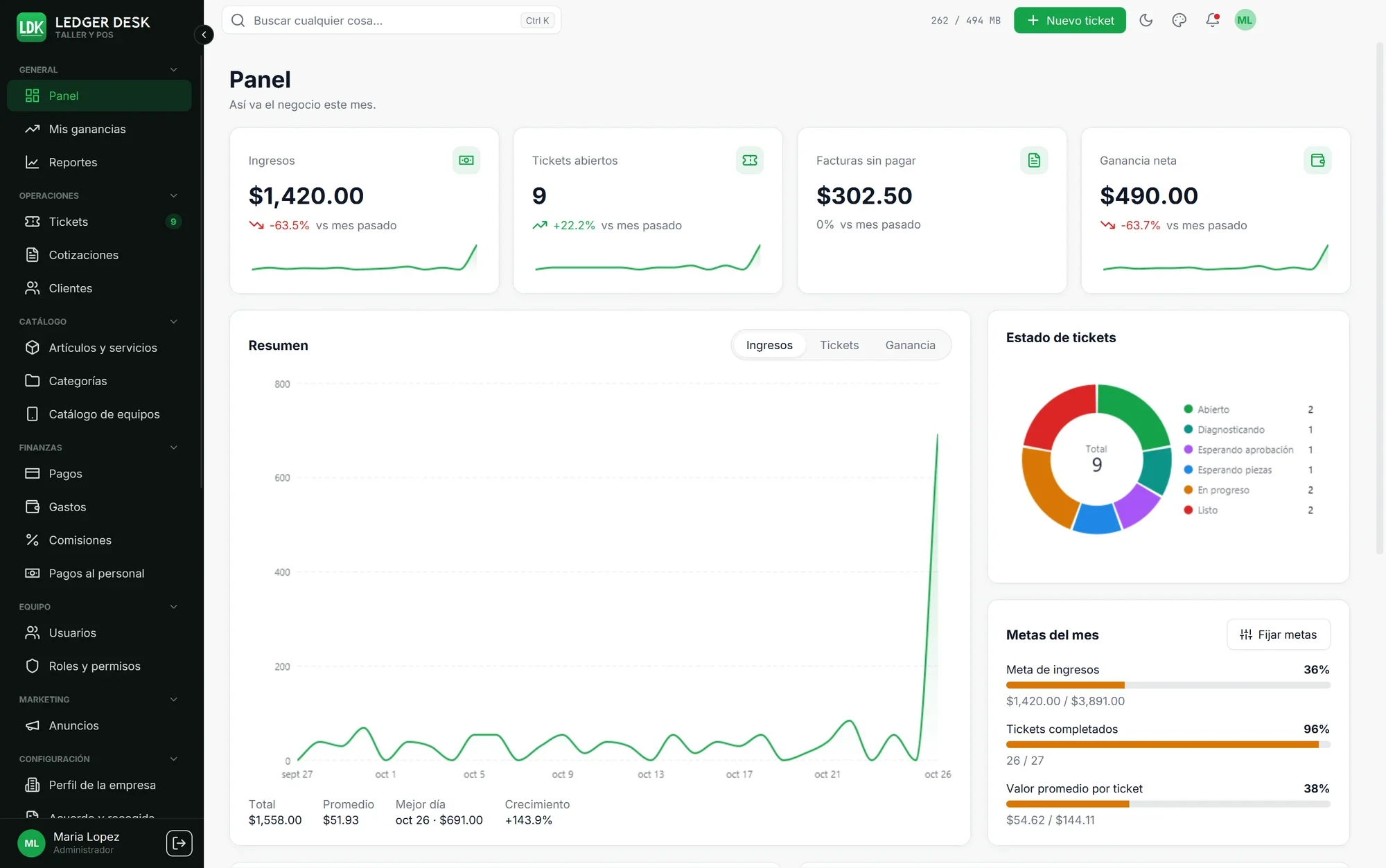
If you run a repair shop, you already know the problem. Most point-of-sale software was built for stores that sell boxes off a shelf. You end up running repairs in one program, payments in another, and commissions in a spreadsheet somebody updates on Friday night.
Ledger Desk, from Xtreme Software Solutions, is built the other way around. It starts from the repair ticket and works outward to the money. After going through what it does, it's the one I'd point a repair shop owner to, especially a shop with technicians on commission or a lot of Spanish-speaking customers.
One ticket, start to finish
The core idea is simple: the ticket carries the bill. A customer walks in, you find them or serve them as a walk-in, and open a ticket with the device, the problem and the work. A label with the ticket number and a barcode goes on the device. When the job is done, the customer pays on that same ticket and leaves with a receipt or an invoice.
That removes a lot of everyday friction:
No retyping the job into a separate register.
Scan any device label and the ticket opens.
Counter sales, like a charger or a case, are tickets too and close themselves once paid.
Each ticket moves through clear steps (open, diagnosing, waiting on approval or parts, in progress, ready, delivered), with a timeline of every note and change.
Quotes get their own numbers and turn into a ticket with its bill when the customer says yes.
There's also a list view and a Kanban board, plus filters for jobs that aren't billed yet, are still owing or are overdue. Those are the tickets that quietly cost a shop money.
It knows what a job actually earned
This is where Ledger Desk stands apart. Before it calls anything profit, it subtracts the part cost, shipping, any extra job costs and card fees. Sales tax is treated as money you owe, never as income.
Technician commissions are then paid on that real profit, or as a fixed amount per unit if you prefer. Take a screen sold for $250 plus 7% tax, with a $100 part and $10 shipping. The job's profit is $140, so a tech on 50% earns $70. The $17.50 in tax is set aside and never touches the math.
Payouts run weekly, every two weeks or monthly. You generate them, review adjustments, approve and pay, and each tech gets a statement PDF. The system won't let the same job land in two payouts, so nobody gets paid twice. Every user also has a My Earnings page showing what they've earned, what's pending and what's been paid.
On the owner's side, a profit and loss report walks from gross sales all the way down to net profit after rent and other expenses. Every line can be opened to see what's behind it.
A screen that faces your customer
Put a second monitor or an Android tablet on the counter and let the customer do the paperwork. They type their own name, phone and address, check the intake sheet, read the repair agreement and sign. You stop spelling out email addresses across the counter.
The repair agreement is written by you, in English and Spanish, and fills in the ticket number, customer name, device and total for each job. Every edit is saved as a version, so each customer keeps the exact wording they agreed to. The signed intake sheet is stored and emailed to them.
With Premium, the tablet also takes card payments through Stripe Tap to Pay or a PayPal Zettle reader. You can add a surcharge, and the customer sees it before they pay. Ledger Desk never stores card numbers. When nobody is being served, the screen can play your own promos and videos.
The details that matter day to day
Printing that scans the first time. Labels and receipts are drawn for your printer's actual resolution, so barcodes read on the first try. You get 22 label layouts, 18 receipt designs for 58 and 80 mm rolls, and 25 invoice styles, all with your logo and colors.
Truly bilingual. Every screen, PDF, email, text message and agreement exists in English and Spanish. Customers get their papers in their own language, even if your staff works in the other one. For a shop in Miami, Houston or LA, that alone is worth a lot.
It keeps working when the internet doesn't. In Premium, each computer keeps an encrypted copy of the data. If the connection drops, you can still take tickets, bills, cash payments and signatures. Everything syncs when the server is back, and real conflicts go to a short review list.
Your data lives on your server. Ledger Desk runs on your own cloud server and domain, not in someone else's shared cloud. You get roles and permissions, two-step sign-in, an audit trail and scheduled backups to a folder, S3, Azure or SFTP.
Reports you'll actually use. There are 17 of them, including sales by technician, item and brand, receivables aging, tax, expenses and a busiest-hours heatmap. Any of them exports to PDF, Excel or CSV.
Three editions, simple pricing
Every edition comes with a 14-day free trial, and paying yearly takes 40% off.
Edition | Monthly | Yearly | Users | Best for |
|---|---|---|---|---|
Basic | $50 | $360 | 3 | A one-counter shop: tickets, bills, customers, labels and email |
Standard | $100 | $720 | 10 | A shop with staff: adds quotes, expenses, commissions and payouts, every report, the customer monitor and plugins |
Premium | $150 | $1,080 | Unlimited | Everything: adds card payments, the customer tablet, text messages, cloud backups, offline mode and screen ads |
If you pay technicians on commission, start at Standard. That's where the profit-based commissions and payouts come in. Premium is the pick if you want customers paying by card on the tablet. Prices are from the Ledger Desk page.
Worth knowing before you buy
Ledger Desk isn't a sign-up-and-go web app, and that's on purpose. Because it runs on a server you own, there are a few setup steps:
You'll need a cloud server (VPS) and a domain name, such as desk.yourshop.com. Both are bought by you and stay in your name.
The Xtreme Software Solutions team handles deployment. They install the server, connect the domain, set up the desktop app on your counter computers and activate the licence. Deployment has a one-time fee that depends on the plan.
After that, the server is yours to look after: renewals, updates and backups.
The desktop app runs on Windows, and the customer tablet runs on Android.
The trade-off is real control. Your customer list and your numbers sit on your own machine, not in a vendor's shared database. Support is included in every edition, from email in Basic up to priority support in Premium.
The product page currently lists Ledger Desk as coming soon, so it's a good moment to get on the list.
The bottom line
Plenty of software can ring up a sale. Very little of it understands how a repair shop actually makes money: parts, labor, tech commissions, card fees and tax that was never yours to begin with. Ledger Desk gets that right, and it wraps it in a clean, fast app your staff and customers can use in English or Spanish.
If you're tired of juggling a register, a ticket system and a commission spreadsheet, it's worth a serious look. Check out the editions and start the 14-day trial at Ledger Desk page
Get our news by email
New versions, new products and the odd offer. Not often, and you can leave whenever you like.
Picked for this post
 Affiliate product#1 best sellerSeagate 2TB Portable Hard DriveSeagate 2TB Portable Hard Drive | USB 3.0 (STGX2000400) | Everyday HDD storage. Plug-and-play backup. Windows & macOS. Adobe CC trial included. 1-Year Warranty$145.71Price as of Nov 5, 2026, 10:38 PM
 Affiliate product#3 best sellerKingston NV3 1TB M.2 2280 NVMe SSDKingston NV3 1TB M.2 2280 NVMe SSD | PCIe 4.0 Gen 4x4 | Up to 6000 MB/s | SNV3S/1000G$15926% off
Was $215.99Price as of Nov 5, 2026, 10:38 PM Affiliate product#1 best sellerSANDISK 2TB Extreme Portable SSD, Up to 1050MB/s Read Speeds (Old Model)SANDISK 2TB Extreme Portable SSD, Up to 1050MB/s Read Speeds (Old Model) | External Solid State Drive, IP65 Water & Dust Resistance, Up to 3M Drop Protection, 256-bit AES Encryption, USB-C 3.2 Gen 2$329.99Price as of Nov 5, 2026, 10:38 PM
 Affiliate product#1 best sellerARCTIC MX-4 (incl. Spatula, 4 g) - Premium Performance Thermal PasteWELL PROVEN QUALITY: The design of our thermal paste packagings has changed several times, the formula of the composition has remained unchanged, so our MX pastes have stood for high quality$5.4939% off
Was $8.99Price as of Nov 5, 2026, 10:38 PM Affiliate productCrucial P310 1TB SSD, PCIe Gen4 NVMe M.2 2280, Up to 7,100MB/s, for Laptop, Desktop (PC), & Handheld Gaming Consoles, Includes Acronis Data Recovery Software, SPCIe 4.0 Performance: Delivers up to 7,100 MB/s read and 6,000 MB/s write speeds for quicker game load times, bootups, and smooth multitasking$167.91Price as of Nov 5, 2026, 10:38 PM
 Affiliate product#1 best sellerThermalright Peerless Assassin 120 SE CPU Cooler, 6 Heat Pipes AGHP Technology, Dual 120mm PWM Fans, 1550RPM Speed, for AMD:AM4 AM5/Intel LGA 1700/1150/1151/120[Brand Overview] Thermalright is a Taiwan brand with more than 20 years of development. It has a certain popularity in the domestic and foreign markets and has a pivotal influence in the player market. We have been focusing on the research and development of computer accessories. R & D product lines include: CPU air-cooled radiator, case fan, thermal silicone pad, thermal silicone grease, CPU fan $34.90Price as of Nov 5, 2026, 10:38 PM
 Affiliate product#3 best sellerWD 2TB Elements Portable External Hard Drive for Windows, USB 3.2 Gen 1/USB 3.0 for PC & Mac, Plug and Play Ready - WDBU6Y0020BBK-WESNHigh capacity in a small enclosure – The small, lightweight design offers up to 6TB* capacity, making WD Elements portable hard drives the ideal companion for consumers on the go.$119.9927% off
Was $164.99Price as of Nov 5, 2026, 10:38 PM

As an Amazon Associate I earn from qualifying purchases.
Keep reading
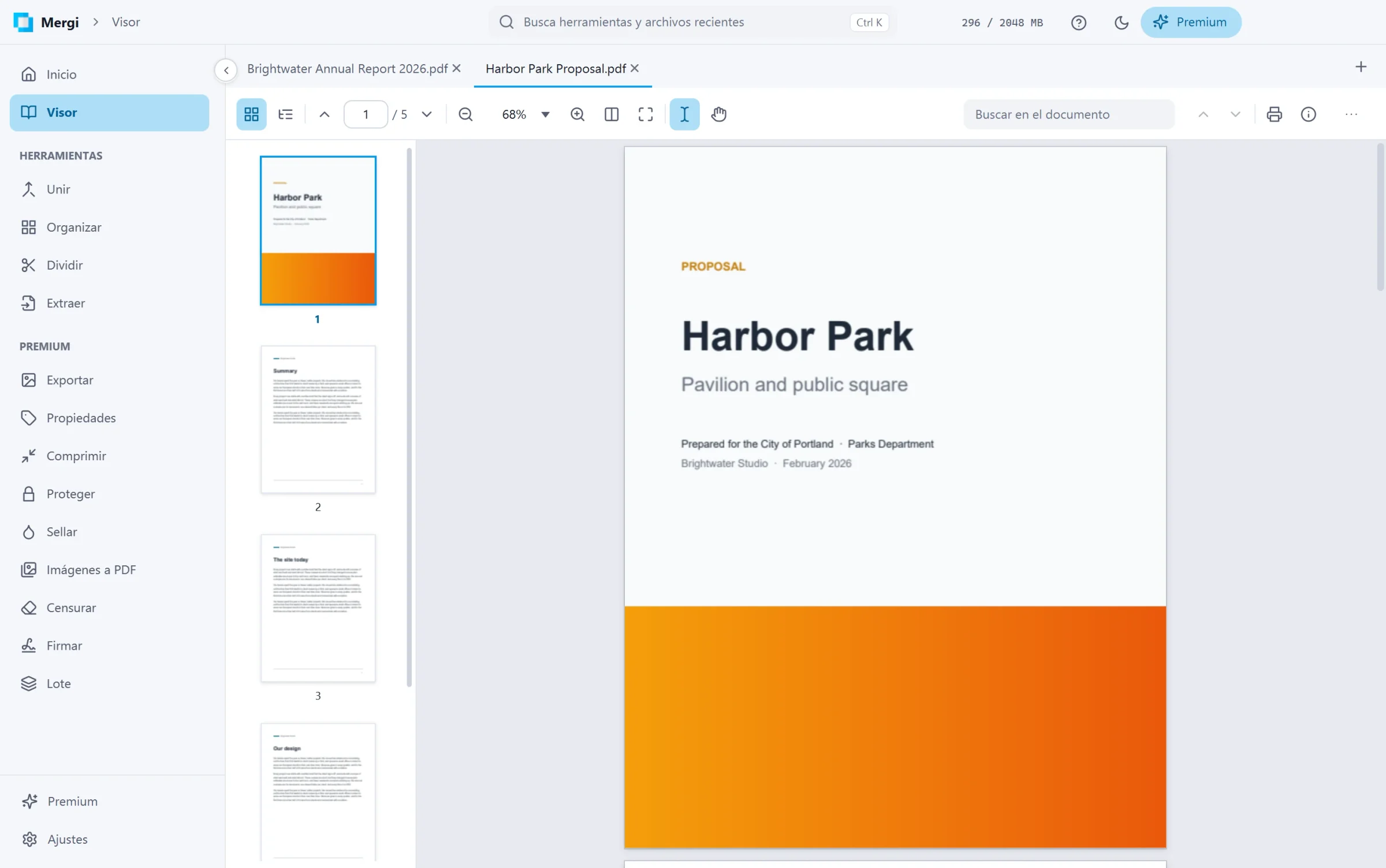 Meet Mergi: a private PDF toolkit for WindowsView, merge, split, compress, sign and fill PDFs without uploading them anywhere. Mergi does it all on your own computer, and the everyday tools are free.3 min read
 Welcome to our new websiteTake a look around our new home on the web, where you can buy software, book services, read documentation, and reach our support team.1 min read