
You are reading the documentation for 1.0.5. The current version is 1.0.6.Go to 1.0.6
Expenses and job costs
On this page
Expenses (Standard and Premium, sidebar Finance → Expenses) keeps two kinds of cost apart, so neither is counted twice:
| Operating expenses | Job costs | |
|---|---|---|
| What | What it costs to run the shop: rent, electricity, internet, software, supplies, marketing… | The extra cost of one job: shipping a part, outsourced repair, a special order, a license installed for the customer |
| Where | Expenses page | On the ticket or its bill |
| Lowers | The shop's net profit only, never a commission | The profit of that job, and so its commission |
The part cost of a line (and the shipping cost typed on a line) is the third kind of cost: it lives on the bill line itself. See Tickets and bills.
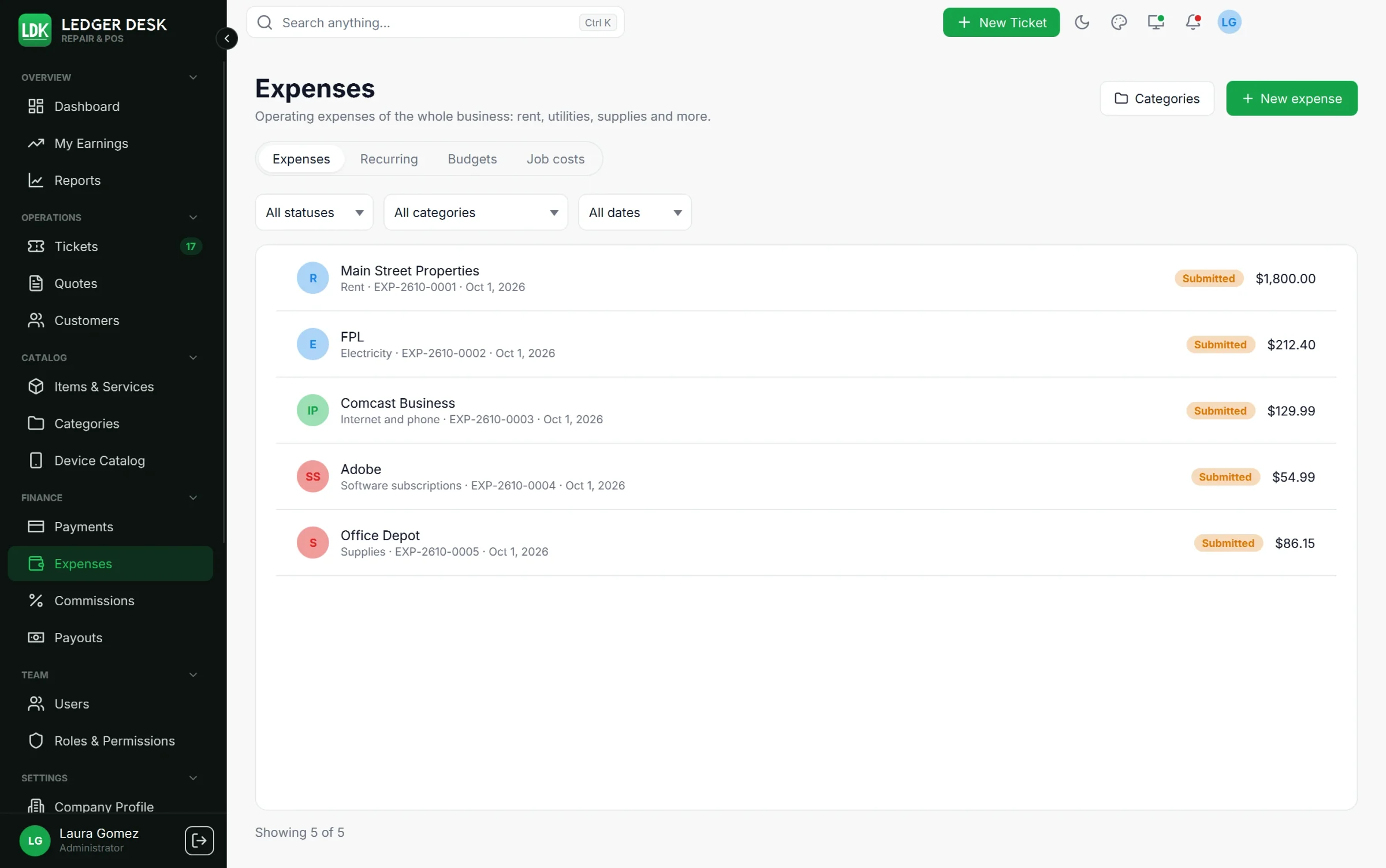
The Expenses page
The page has four tabs: Expenses, Recurring, Budgets and Job costs (a read-only list of every job cost, whose rows open their ticket). Filter the expenses by status, category and dates.
Record an operating expense
- Press New expense.
- Fill in the Category, Vendor, Date, Amount, Tax paid (included) and the payment method.
- Tick Paid by an employee (to be reimbursed) when a person paid from their own pocket.
- Attach the receipt: a PDF, PNG or JPEG (up to 10 MB unless your Developer changed the limit). It is kept as it is, as evidence.
- Press Save draft. A draft has no number yet and can still be changed or deleted.
- Press Submit for approval. The expense gets its number (for example
EXP-2610-0001).
The life of an expense
| Status | What happens |
|---|---|
| Draft | Being written; can be edited or deleted. |
| Submitted | Waiting for a person who may Approve, reject and void expenses. |
| Approved | Counted in the shop's costs and budgets. Can no longer be edited, only voided. |
| Rejected | Sent back with a reason. Reopen as draft to fix it and submit again; it keeps its number. |
| Reimbursed | An employee-paid expense that was paid back through their payout. |
| Void | Cancelled with a reason; kept in the history. |
Nobody approves their own expense: not one they entered, submitted, or that is paid back to them. A receipt can be added while the expense is a draft, submitted or rejected.
Expenses paid by an employee
An approved expense with Paid by an employee is owed to that person. On their payout, press Reimburse expenses to pull it in (see Commissions and payouts). When the payout is paid, the expense becomes Reimbursed; an expense can be in only one payout.
Categories
Fourteen standard categories come ready, translated in English and Spanish: Rent, Electricity, Water, Internet and phone, Software subscriptions, Insurance, Tools and equipment, Supplies, Marketing, Accounting and legal, Bank and card fees, Vehicle and fuel, Licenses and permits, Other. Press Categories to add your own, choose an icon or hide one from new expenses (needs Edit expense categories and budgets). Standard categories can not be deleted.
Card fees taken by Stripe or Zettle are already counted from the payments. Do not enter them again as a “Bank and card fees” expense.
Recurring expenses
- On the Recurring tab press New recurring expense: description, category, vendor, amount, How often (Weekly, Monthly, Yearly), the Day (or Last day of the month), Starts on and an optional Ends on.
- Every night Ledger Desk prepares a draft expense on each due date. A person still checks it, submits it and approves it.
- Untick Active to pause. A paused definition that is resumed continues from today; missed dates are not filled in.
Budgets
- On the Budgets tab press Set a budget: one monthly amount per category.
- Progress bars compare the approved and reimbursed expenses of the month with the budget.
- The people who may edit budgets are told in the bell once at 90% and once at 100% of a budget each month.
Job costs
- Open the ticket. In its Job costs section press Job cost.
- Write What was paid for, the Vendor, the Amount and Tax paid (included).
- Under Applies to choose one line or All lines of the job (shared by the lines in proportion to their revenue).
- Attach a receipt if you have one, and save. The job cost gets its number (for example
JC-2026-00001).
- A job cost lowers the profit of the job and therefore the technician's commission, as long as the Company Profile setting Extra job costs reduce the commission base is on (it is by default).
- A job cost recorded after the commission was paid becomes a correction in the technician's next payout.
- Job costs entered on the ticket follow it to its bill.
Moving a cost to the right side
- Something bought for a job belongs to that job. In the job costs of a ticket, From an expense moves an approved operating expense to the job (it is then voided with the job cost number, or a draft is deleted). An expense paid by an employee can not be moved: it is owed to that person.
- Move to operating expenses on a job cost row turns it into a draft expense, which goes through approval again. The receipt moves with it.
- Both moves need a reason and are kept in the history.
Shipping on a line
A product or part line can carry a shipping cost for the whole line. It is a cost like the part cost: it lowers the profit and the commission, never the price or the tax the customer sees, and it shows only to people who may see costs. Use it for the shipping of a part you sell; use a job cost for anything else the job cost.
Last updated November 2, 2026