
Introduction
Private software. Readings Manager was built to order for one government municipality's water utility and is used only by its staff. It is not sold, has no trial and is not licensed to anyone else.
Readings Manager is the program the office uses to work with water-meter readings. Every month (one cycle), meter readers write down how much water each house or business has used. Readings Manager takes those readings, shows them in one clear list, helps you check them for mistakes, and then makes the files that billing needs.
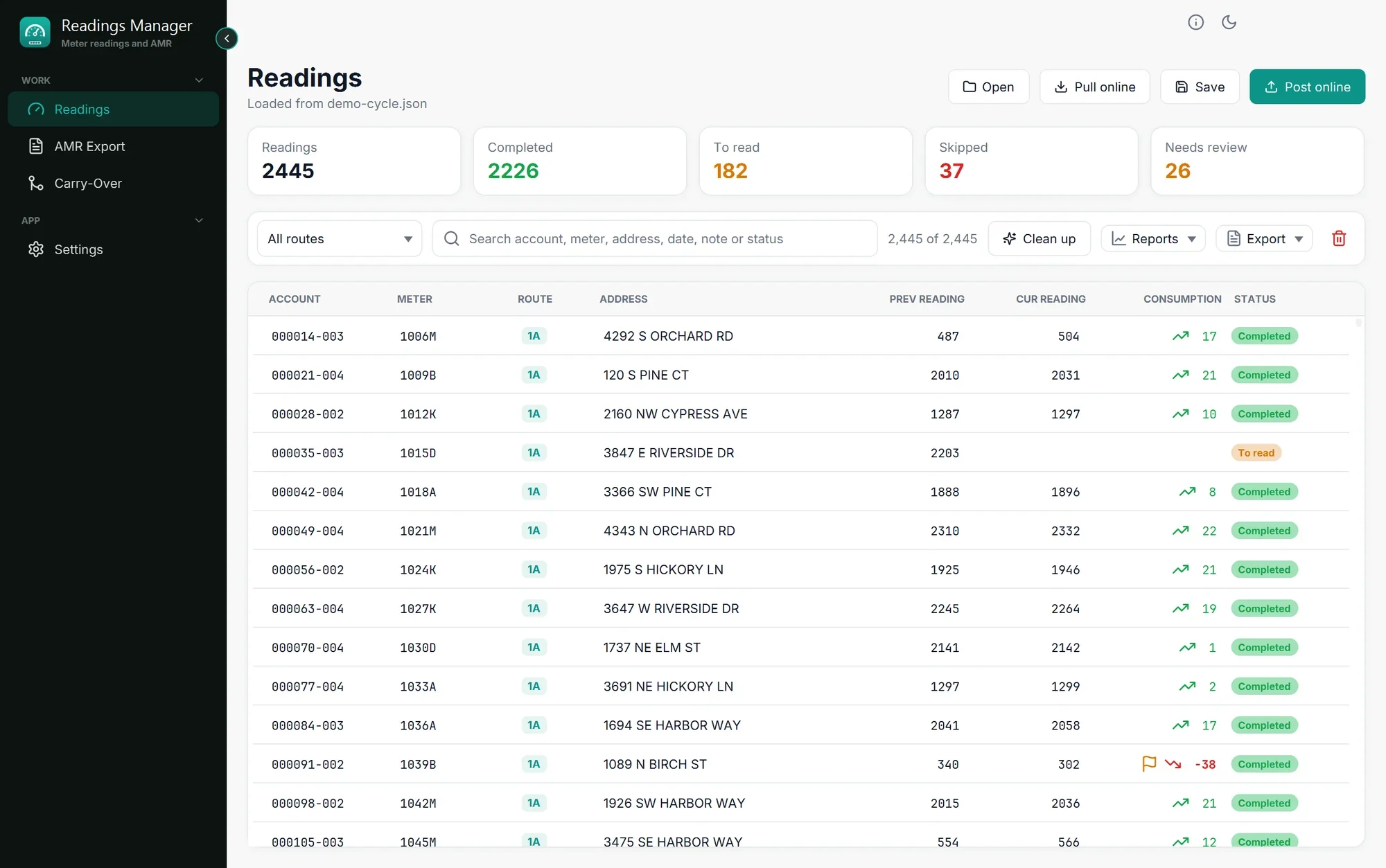
What you will do with it
Load the readings of the cycle, from a file or from the internet.
Check them: see what was read, what is still missing, and which readings look wrong.
Make the files for billing: the AMR file and the billing file for next month.
Save and send the checked readings back to the readings server.
The page A cycle, start to finish walks through all of this in order. Start there once the app is installed.
How to use this guide
Use the menu on the left to move between pages. Each page explains one screen or one job.
Steps are numbered. Do them in order.
Names of buttons and menus are in bold, exactly as they appear in the app.
Every page ends with If something goes wrong, which says what to do when the app shows a message you did not expect.
Not sure what a word means? See Words used in this guide.
Tip: Inside the app, the Help button (the small i at the top right) has Online help, which opens this guide.
What you need
A computer with Windows 10 or Windows 11.
A licence key for the utility. It looks like
XSSIT-XXXXX-XXXXX-XXXXX-XXXXX. Your supervisor or the IT staff have it.An internet connection, for the licence, for updates and to get or send readings online.
The API address and the upload key of the readings server, from the IT staff. They are entered once, in Settings.
Última actualización: 28 de octubre de 2026