
Company, taxes and numbering
On this page
Two pages in the Settings section of the sidebar describe your business: Company Profile and Taxes & Numbering. Changing them needs the matching permissions (company, taxes and numbering); others can see the pages but not change them.
Company Profile
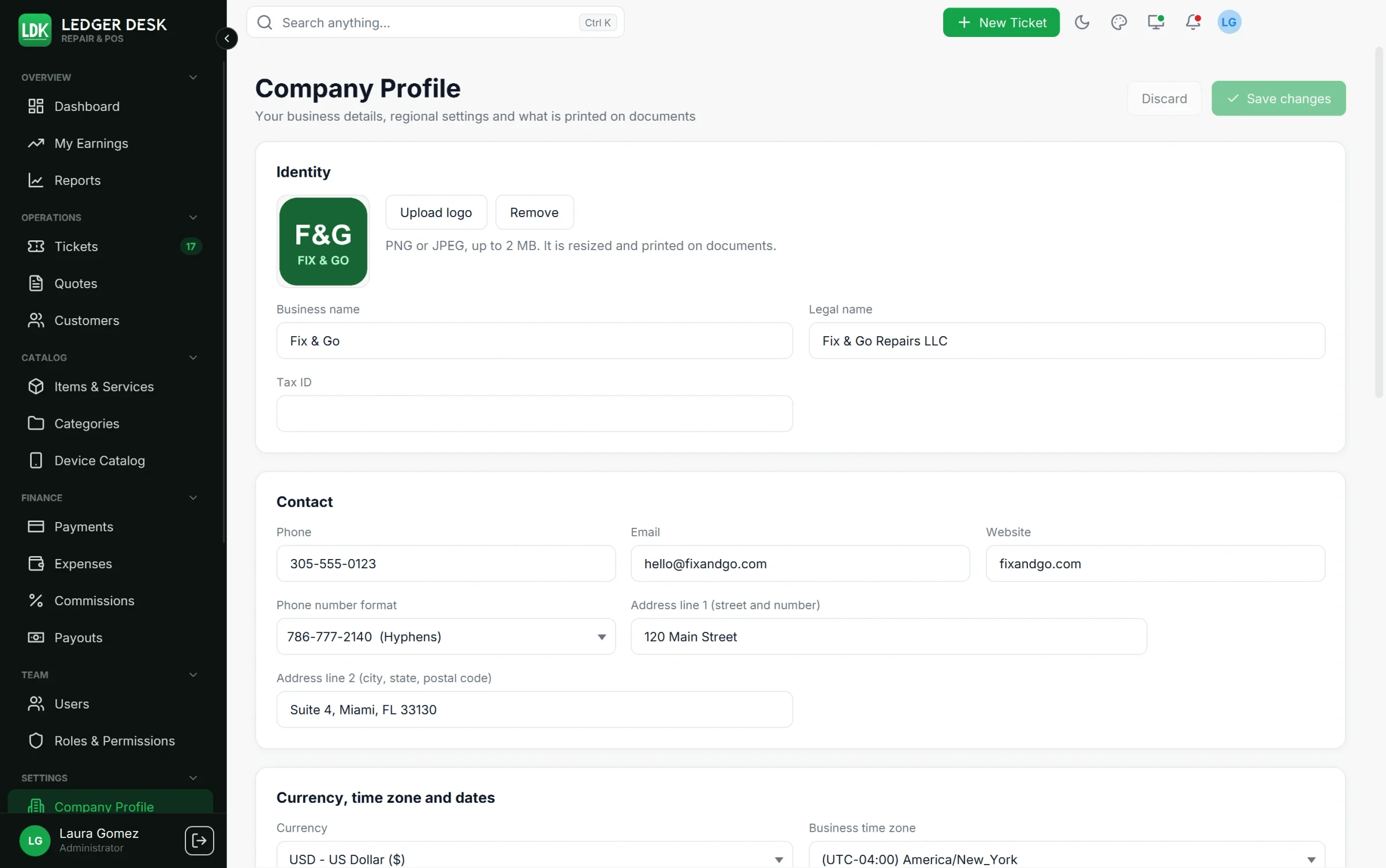
Identity and contact
- Business name, Legal name and Tax ID.
- Upload logo: PNG or JPEG up to 2 MB. It is resized and printed on documents and shown on the customer screen.
- Phone, Email, Website and the Address in two lines (street and number; city, state and postal code).
- Phone number format: Hyphens (
786-777-2140), Area code in brackets ((212) 555-1234) or With country code (+1 786-234-6790). It decides how every phone is written on screen, in inputs and on documents.
Currency, time zone and dates
- Currency: amounts are always written the US way, for example
$1,234.50, in English and in Spanish. - Business time zone: it defines the business day for reports, numbering, due dates and pay periods. Changing it asks first and applies from then on; existing records keep their dates.
- Short date, Long date, Time and Date and time patterns used on documents, with a live preview. Each person's own screen follows their Preferences.
Invoice and receipt texts
Invoice footer and terms and Receipt footer, each in English and in Spanish. A customer who prefers Spanish gets the Spanish text when you wrote one.
Business rules
| Setting | What it does |
|---|---|
| Days until an invoice is due | The due date offered when a bill is invoiced to pay later. |
| Label width / height (mm) | The size of your ticket labels. |
| Default commission (%) | The commission rate when no other rate applies (50% unless you change it). |
| Extra job costs reduce the commission base | Whether costs recorded on a job lower the technician's commission. |
| Commissions are paid | Every week, every two weeks or every month; with Business week starts on. |
| Card processing fee (%) | What your card processor keeps; it lowers profit in reports. |
| Remind staff about a ticket after (days) | When an open ticket nobody touched is pointed out to its technician. |
| Screen lock limit (minutes, 0 = none) | The longest idle time before the screen locks; users can only choose shorter. |
New users
A user who has not saved preferences of their own starts with the built-in look. Choose the starting settings opens a form with the look, sidebar, charts, accessibility, language and clock that new users start with (Save for new users). Use my current look for new users copies your own preferences; Back to the built-in look undoes it. Nobody's saved preferences change.
The monthly goals of the dashboard (revenue, tickets, average ticket) are set on the dashboard itself with Set goals.
Taxes
Open Taxes & Numbering, tab Taxes.
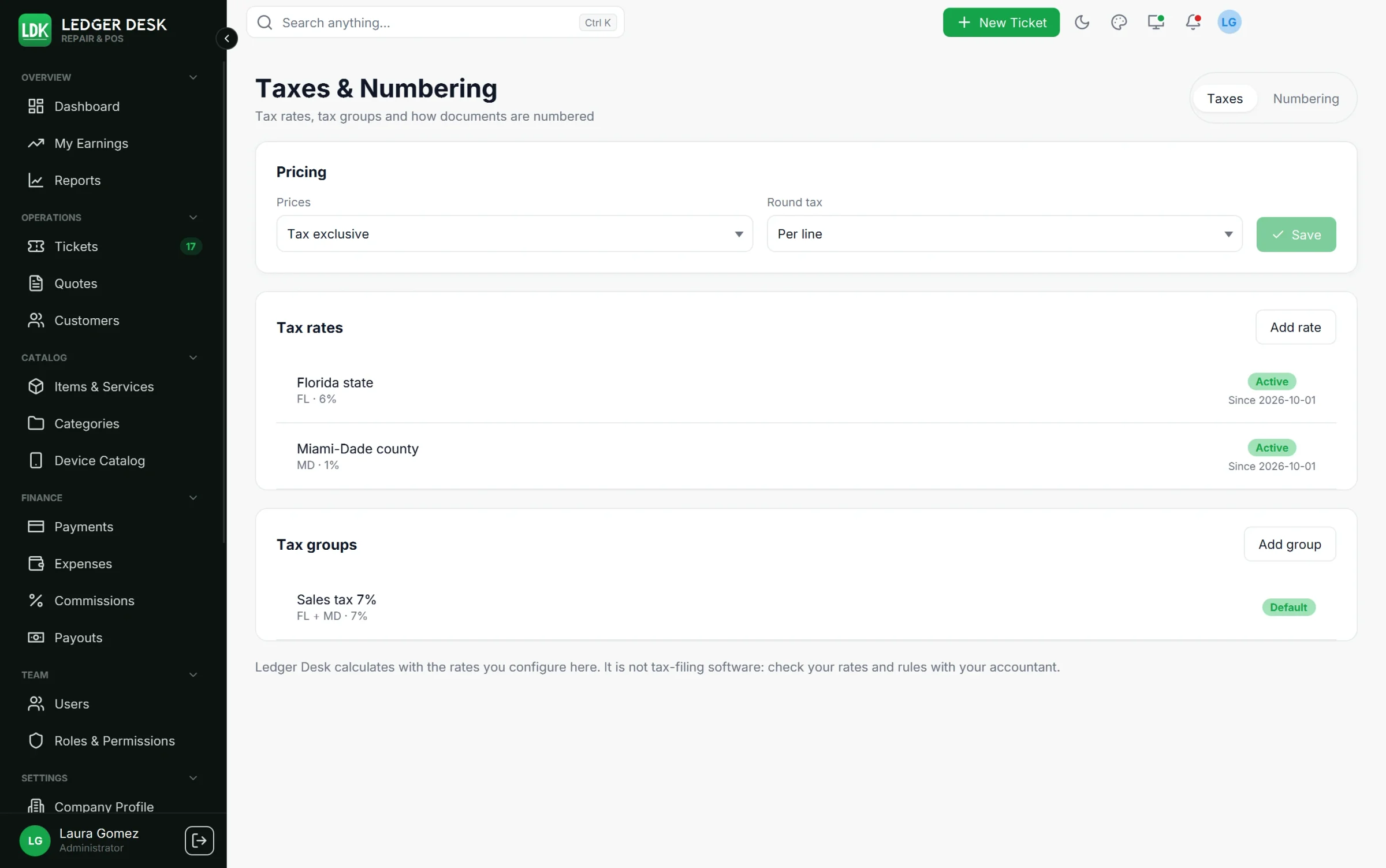
Pricing
- Prices: Tax exclusive (tax is added on top, the default) or Tax inclusive (the price already contains the tax).
- Round tax: Per line (default) or Per document.
Tax rates
Press Add rate. A rate has a code, a name, an optional Name in Spanish (Spanish-speaking customers see it on their papers), the Rate (%), dates In effect from and until, an active switch, Compound (applied on top of the other rates of a group) and Default rate.
Tax groups
Press Add group. A group applies several rates together, for example State 6% plus County 1% as Sales tax 7%. Tick the rates to include; they apply from top to bottom, so a compound rate must come after the rates it builds on. Mark one group as the Default group.
Which tax a line gets
- The tax group chosen on the line, if any.
- Otherwise the tax group of the catalog item.
- Otherwise the active Default group.
- Otherwise the rate marked Default rate.
- If none is set, the bill warns that no default tax is set up and charges no tax on those lines.
Lines of a draft follow today's default; issued bills keep the tax they were issued with, even if rates change later. Exempt customers pay no tax (see Customers). Tax collected is never counted as income.
Ledger Desk calculates with the rates you configure here. It is not tax-filing software: check your rates and rules with your accountant.
Numbering
Tab Numbering has one card per kind of number: tickets, credit notes (refunds), payouts, expenses, job costs and quotes. Invoices and receipts of a ticket carry the ticket number: the bill of ticket LDK-000123 is LDK-000123, and a bill that replaces a voided one is LDK-000123-2.
| Kind | Default pattern | Example |
|---|---|---|
| Tickets | LDK-{SEQ:6} | LDK-000123 |
| Credit notes | CN-{YYYY}-{SEQ:4} | CN-2026-0007 |
| Payouts | PO-{YYYY}-{SEQ:4} | PO-2026-0031 |
| Expenses | EXP-{YY}{MM}-{SEQ:4} | EXP-2610-0012 |
| Job costs | JC-{YYYY}-{SEQ:5} | JC-2026-00045 |
| Quotes | QT-{YYYY}-{SEQ:4} | QT-2026-0012 |
Tokens
Everything outside braces is printed as written. Press Insert token to add one.
| Token | Meaning | Example |
|---|---|---|
{SEQ} / {SEQ:n} | The running number, padded to n digits (1 to 10); it grows past n when needed | {SEQ:5} → 00045 |
{YYYY} / {YY} | Year of the issue date | 2026 / 26 |
{MM} / {DD} | Month / day, 2 digits | 10 / 01 |
{Q} | Quarter 1 to 4 | 4 |
{WW} | Week of the year, 2 digits | 40 |
{DOY} | Day of the year, 3 digits | 274 |
{LOC} | Location code (01 for now) | 01 |
{USER} | Initials of the user who issues it | JR |
{RAND:n} | n random letters and digits (2 to 6), without look-alikes such as 0/O and 1/I | K7Q |
Options and rules
- Starts again: Never, Every year, Every month, Every week or Every day. The pattern must contain the matching tokens (a monthly restart needs the month and the year).
- First number, Step and Next number. The next number can only move forward, never below a number already issued.
- Exactly one
{SEQ}, at most 32 characters, and only letters, digits and- _ / . #as fixed text. - The card shows the Next numbers, and warns when the day or month comes before the year (numbers would not sort in order).
- Numbers are never reused. A changed pattern applies only to new numbers; earlier records keep theirs. History lists every change of a pattern.
Last updated November 3, 2026