
You are reading the documentation for 1.0.4. The current version is 1.0.6.Go to 1.0.6
Catalog
On this page
The Catalog section of the sidebar holds what you sell: Items & Services, Categories and the Device Catalog. Items you add to a ticket, bill or quote come from here, and so does the cost that makes profit and commissions right.
Items & Services
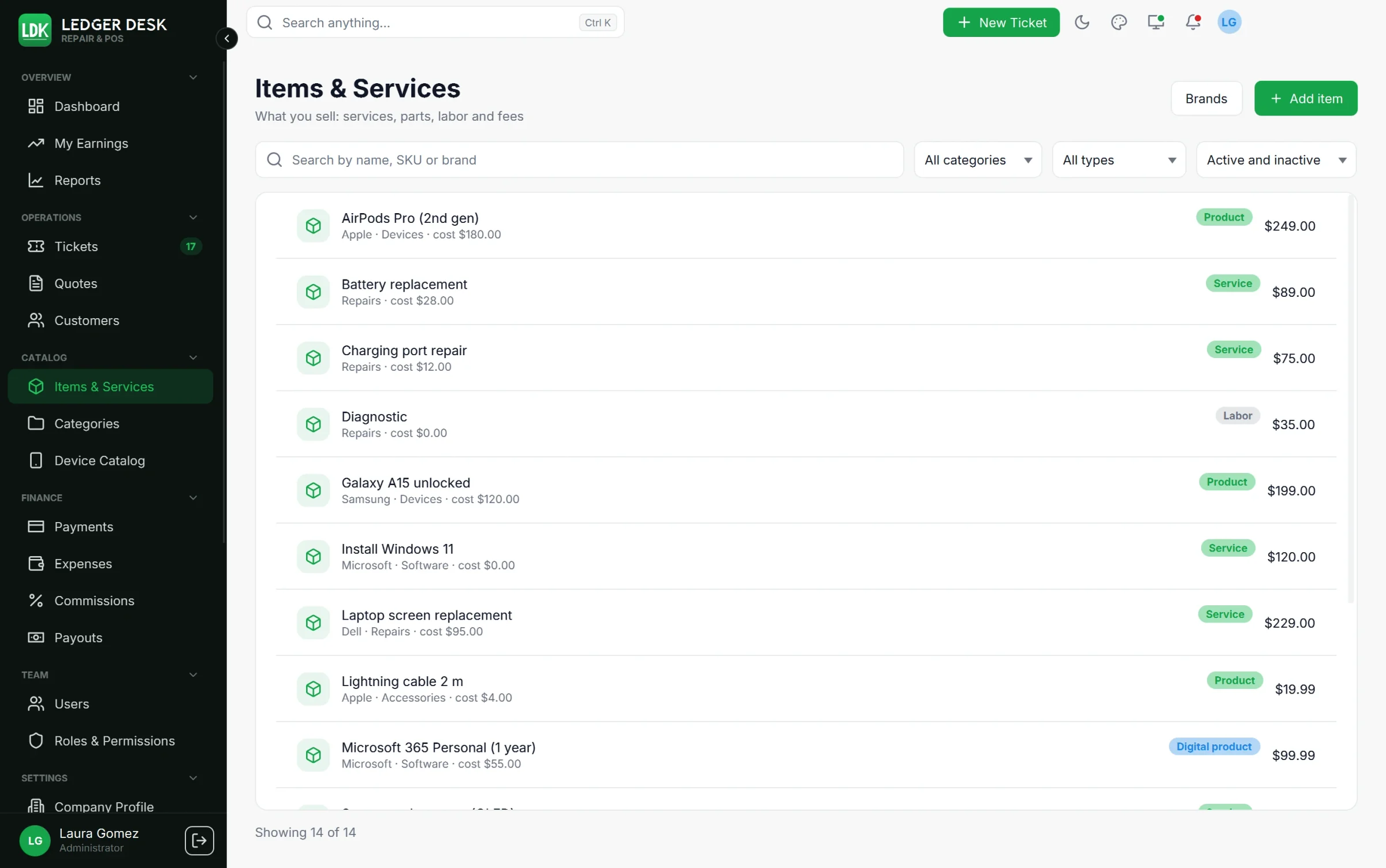
Search by name, SKU or brand, and filter by category, type and Active and inactive. Press Add item to add one. An item has:
| Field | What it is for |
|---|---|
| Name, Description, SKU | What staff see and search for. |
| Type | Service, Part, Product, Digital product, Labor or Fee. |
| Category | Where it is filed (see Categories below). |
| Brand | The maker. Type it; a new brand is added to the brand list. |
| Cost (what you pay) | Only users allowed to see costs see it. The form shows the profit and margin. |
| Price (what you charge) | The price before tax, or with tax if your shop uses tax-inclusive prices. |
| Taxable and Tax group | Whether tax applies and which group; without a group the default tax is used. |
| Special discount | A percent or amount offered when the item is added to a bill; the final discount is decided there. |
| Commission of its own | A % of profit or a Fixed per unit amount. Leave empty to use the normal rate. Only staff who may edit commission rules see it. |
| Icon and Pictures | An icon shown when there is no picture, and up to 8 pictures. |
| Active | An inactive item stays in history but is not offered on new tickets and bills. |
Pictures
- PNG or JPEG, up to 2 MB each. The first picture added is the Main picture, the one lists show.
- Make main chooses another main picture; the arrows move a picture earlier or later.
- On a new item you choose one picture; more can be added once the item is saved.
Brand typos
When you type a brand that is a typing mistake away from one you already have, Ledger Desk asks Did you mean Samsung? under the box. Press the line to take that brand, or ignore it to keep what you typed.
Digital products
A digital product (a software licence, an activation code, a gift card) gets a License key or code box on its bill line. The code is printed and sent to the customer only once the bill is paid in full. Ledger Desk does not keep a stock of codes: you type each one.
Lines that are not in the catalog
A ticket or bill can also take a line that is not in the catalog: press Add a custom line and type its description, quantity, price and cost.
Categories
Categories come in two levels: a category and its subcategories (choose a Parent category). Each has an icon and an active switch. A filter by a category also shows the items of its subcategories. A category that still has items cannot be deleted.
Brands
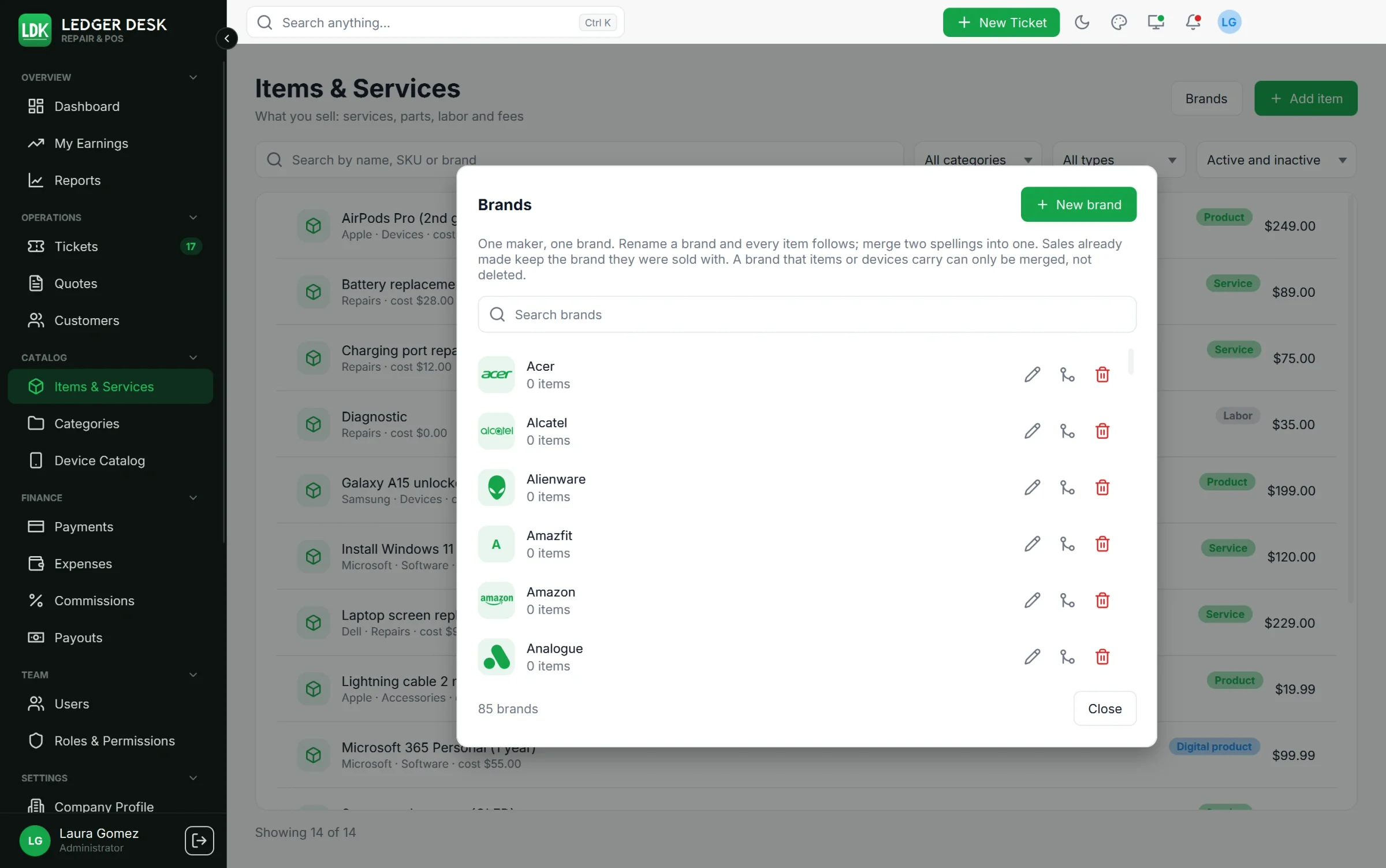
Press Brands on the Items page to open the brand manager. One maker, one brand: items and the devices on tickets share the same list.
- About 65 well-known makers show their logo in your accent color; the others show their initials. A picture uploaded for a brand on the Device Catalog page replaces the logo.
- Search the brands; each row counts its items and devices.
- Rename: every item and device of the brand gets the new name.
- Merge two spellings into one: the items move to the brand you choose and the other is removed.
- Delete only a brand that no item or device carries; otherwise merge it.
- Sales already made keep the brand they were sold with.
Last updated October 31, 2026