
You are reading the documentation for 1.0.4. The current version is 1.0.6.Go to 1.0.6
Printing
On this page
Printers & Labels, in the Settings section of the sidebar, decides how everything is printed. It has two parts: This computer (the printers of the computer you sit at) and the options of the shop (the designs every computer prints). A live preview beside the options shows the label, invoice, receipt, quote, intake sheet, statement or report with your choices.
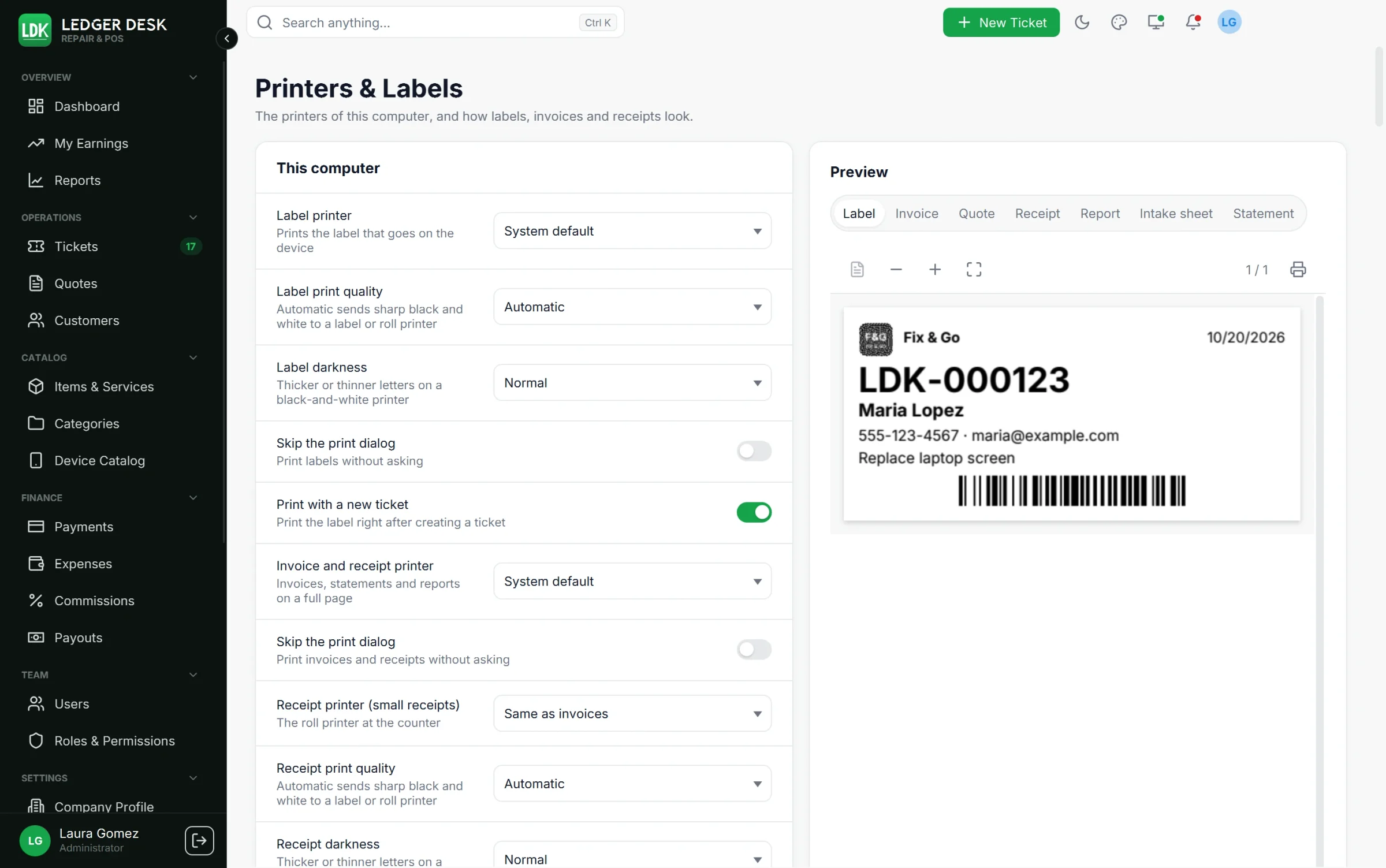
A design is only in use after you press Save options. If you leave the page with unsaved options, Ledger Desk asks first. Only people who can edit the company can change the shop options.
Printers of this computer
These choices are kept on each computer (they also appear in Preferences, tab Printing):
| Printer | Prints | Options |
|---|---|---|
| Label printer | The label that goes on the device | Skip the print dialog; Print with a new ticket; copies per label; quality; darkness |
| Receipt printer (small receipts) | The roll printer at the counter (80 mm or 58 mm) | Same as invoices, or its own printer; skip the print dialog; quality; darkness |
| Invoice and receipt printer | Invoices, statements and reports on a full page (A4 or Letter) | Skip the print dialog |
- Print quality: Automatic (sends sharp black and white to a label or roll printer), Sharp black and white, or Smooth, with grey and color.
- Darkness: Lighter, Normal or Darker letters on a black-and-white printer.
- Print the label right after creating a ticket prints the label as soon as a ticket is saved.
- Without Skip the print dialog, every document opens in a preview first, where you choose the printer and copies.
Test pages
Print Test page: label printer, Test page: receipt printer and Test page: document printer once. Their rulers show whether the size is true, and their fine lines and small letters show whether the print is sharp. Show test label previews a label with sample data.
Ticket labels
- Label size is set on the Company Profile (default 62 x 29 mm). Set the paper size of the label printer to the same size in its driver.
- Layout: 22 layouts, from Classic, Barcode first and Big number to Banner, Claim stub, Jewelry tag, Due date, Checklist, Shelf label (large) and small labels with a barcode, a QR code or the number only.
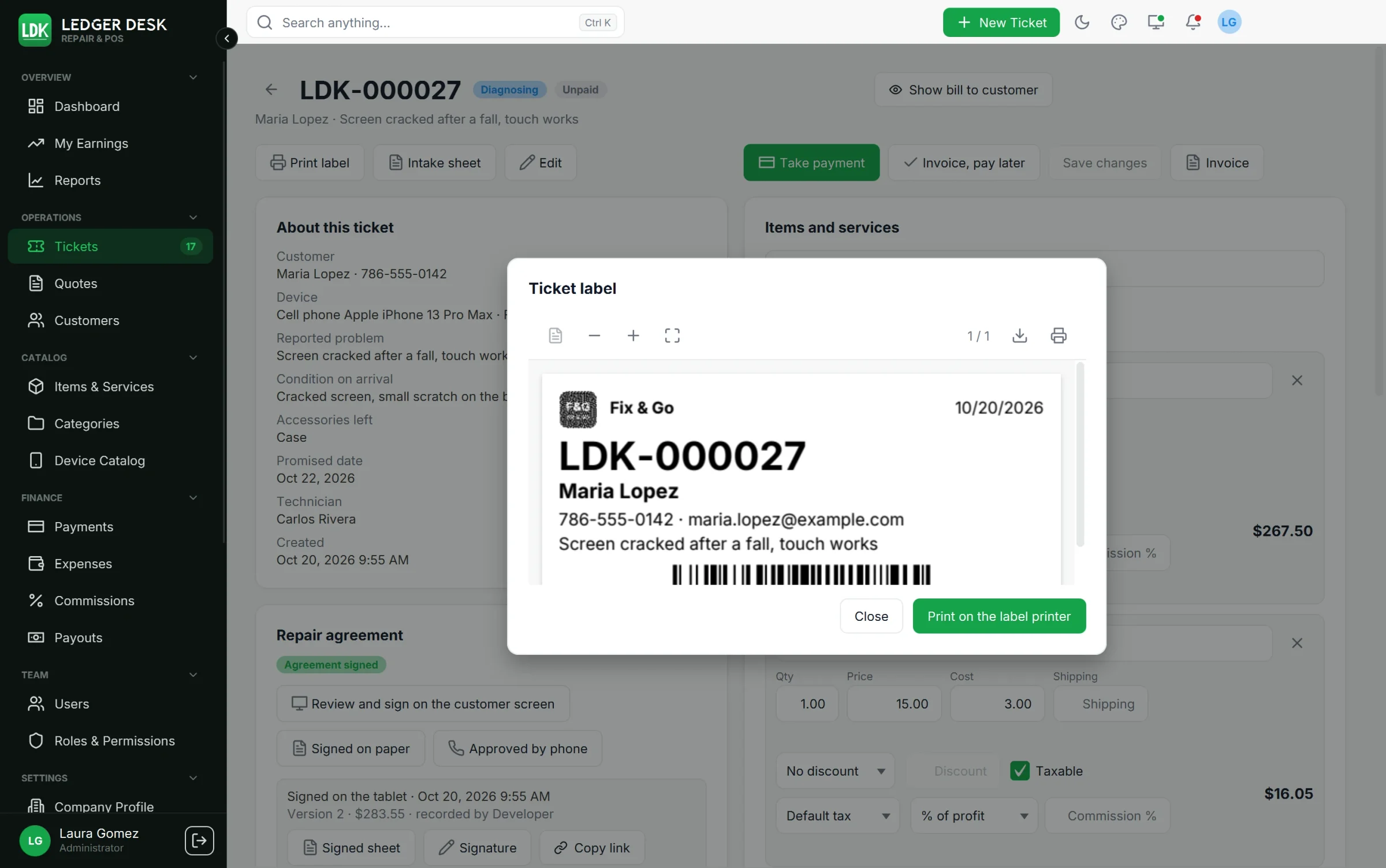
- What a label prints: company logo, customer phone and email, QR code, date, reported problem, device, assigned technician, promised date and estimated total. A label leaves out what it has no room for; the ticket number is always printed in full.
- Shop phone beside the shop name: the company line of the label also prints the shop's phone (on by default). When both do not fit, the phone is left out, never cut.
- Label printer resolution: 203 dpi (most label printers), 300 dpi or 600 dpi. The label is drawn for the dots of your printer, so barcodes and QR codes scan.
- Barcode size: Small (narrow bars) or As wide as the label allows; Barcode position: Left, Center or Right. A code that cannot scan is never printed; on a tiny label the QR code is used instead.
- Footer for English and for Spanish customers (up to 80 characters, shown on tall labels).
- Text size of labels: label texts print about 12% larger than before at the default 100%. The choice still makes them smaller or larger; a text that does not fit is set smaller or shortened, and the ticket number is never cut.
See Barcode scanner for labels that scan well.
Invoices, receipts and quotes
| Option | Choices |
|---|---|
| Invoice paper / Receipt paper | A4, Letter, Thermal 80 mm or Thermal 58 mm |
| Invoice style | 25 page styles, for example Classic, Modern, Bold, Elegant, Panels, Ledger, Split header, Ribbon, Corporate, Sidebar, Window envelope, Payment slip, Typewriter, Poster, Serif, Signature and Cards |
| Quote style | Any of the 25 styles. Until you choose one, quotes follow the invoice style. |
| Receipt roll design | 18 designs for the 80 mm and 58 mm roll, for example Register, Modern, Compact, Boxed, Columns, Diner ticket, Large print, Boutique and Paper saver |
| Receipt printer resolution | 203 dpi (most receipt printers) or 300 dpi |
| Code at the end of a receipt | As the design has it, Barcode, QR code or No code |
| Brand color | Swatches or your own color; it colors headings and totals |
| Logo | Show the logo; Logo position (left, centered or right); Logo size (small, medium, large) |
| What is printed | Status under the number, due date, ticket number, tax ID, customer phone and email, payments, notes, quantity and unit price columns |
| Size of invoices / Size of quotes / Text size of the receipt roll | Prints the whole page or roll larger or smaller; a long document then takes more or fewer sheets |
| Show a QR code with the number | A QR code with the document number |
| Made with Ledger Desk | A small line at the foot of invoices and quotes; switch it off if you prefer |
| Maximum discount without permission (%) | Users without the discount permission cannot go above it |
| Intake sheet layout | Full page, Half page with claim stub, or Checklist to tick |
Style pickers show pictures of each design drawn with your logo and color. Choosing one turns the preview to that document. Documents are printed in the customer's language; amounts are always written like $1,234.50.
Printing day to day
- Labels print from a new ticket (Create and print label) or from Print label on a ticket.
- Receipts and invoices print from the bill (Receipt, Invoice). The preview lets you pick the paper and also save the PDF.
- Labels and receipts are sent to the printer at their true size, one picture dot per printer dot, so they stay crisp. A receipt longer than the paper is cut into sheets.
- If no printer is found or the printer refuses the job, Ledger Desk tells you.
Last updated October 31, 2026