
You are reading the documentation for 1.0.4. The current version is 1.0.6.Go to 1.0.6
Introduction
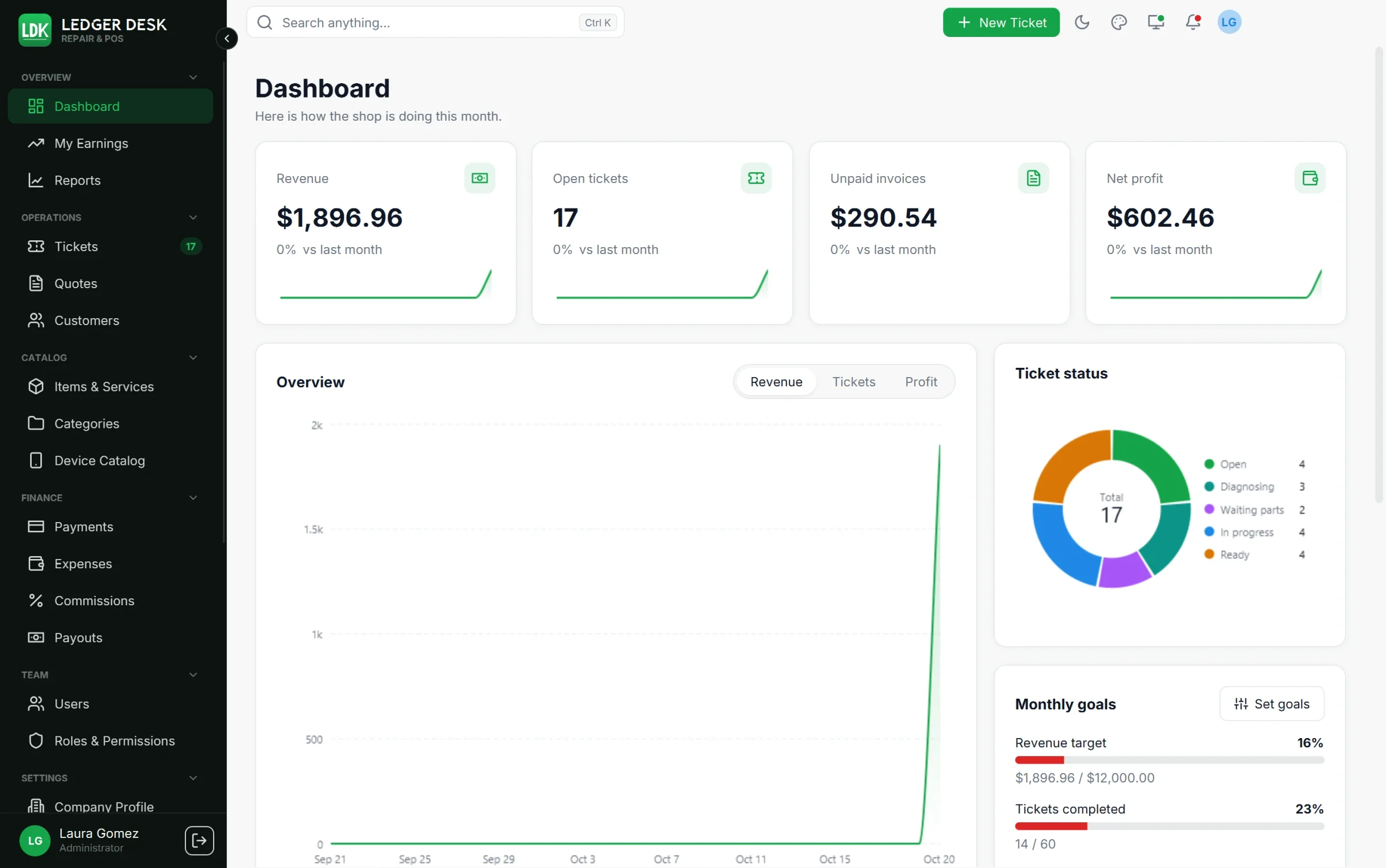
Ledger Desk is the counter software for repair shops and for stores that also sell. Tickets, customers, bills, payments, the repair agreement your customer signs, technicians' commissions and reports live in one desktop app for Windows, connected to a server that belongs to your shop. Every screen, document and message comes in English and Spanish, and every amount is written the US way ($1,234.50).
How a sale works
Everything happens on a ticket. A repair is a ticket, and so is a charger sold over the counter. The bill of the job lives inside the ticket, so there are no separate invoice or receipt screens to keep in step.
- A customer walks in. You find them by name, phone or email, add them in seconds (or let them type their own details on the customer screen), or serve them as a walk-in customer.
- You open a ticket with the services and products it sells. For a device you pick it from the device catalog (kind, brand, model) or type it.
- The customer reviews the work order and signs the repair agreement on the customer screen, on a tablet, on paper, or approves it by phone.
- A label with the ticket number and a barcode is printed and stuck on the device. A scanner opens the ticket again from the label.
- The work is done. When the device is ready, the customer is told and reminded before the pickup deadline.
- The customer pays on the ticket: cash, card, check, transfer, Zelle or a card on the tablet. They get a small receipt or a full invoice. An invoice can also stay open with a due date and part payments.
- The technician earns a commission on the profit of the job (or a fixed amount per service), paid through tracked payouts, so nothing is ever paid twice.
Who it is for
Phone, tablet and computer repair shops, electronics stores, game and console repair, and any counter that repairs, sells products and services, and wants to know exactly what each job earned. One shop runs one server and as many counter computers as its licence allows. Owners, managers, cashiers, technicians and the accountant each see what their role allows.
Editions
Ledger Desk comes in three editions. Every edition includes the whole counter; the higher editions add features, users and computers. Prices and plans are on the Purchase and setup page.
| Feature | Basic | Standard | Premium |
|---|---|---|---|
| Tickets with labels, intake sheets, bills, payments, receipts and invoices | ✓ | ✓ | ✓ |
| Repair agreement with signature and pickup deadline reminders | ✓ | ✓ | ✓ |
| Customers with devices; catalog, brands with logos and the device catalog (about 1,800 models) | ✓ | ✓ | ✓ |
| Taxes, number patterns and document styles | ✓ | ✓ | ✓ |
| Dashboard, sales summary and daily summary | ✓ | ✓ | ✓ |
| Emails to customers and document links | ✓ | ✓ | ✓ |
| Barcode scanner | ✓ | ✓ | ✓ |
| Backups on your own server | ✓ | ✓ | ✓ |
| Active users | 3 | 10 | Unlimited |
| Computers included | 2 | 3 | 5 |
| Quotes | — | ✓ | ✓ |
| Expenses, budgets and job costs | — | ✓ | ✓ |
| Commissions and payouts | — | ✓ | ✓ |
| Every report, with PDF, Excel and CSV exports and printing | — | ✓ | ✓ |
| Customer screen on a second monitor | — | ✓ | ✓ |
| Plugins from the Ledger Desk store | — | ✓ | ✓ |
| Text messages (SMS) | — | — | ✓ |
| Card payments with Stripe or PayPal Zettle | — | — | ✓ |
| Customer tablet (Ledger Desk Screen) | — | — | ✓ |
| Cloud backups (S3, Azure, SFTP) | — | — | ✓ |
| Offline mode: keep working while the server can not be reached | — | — | ✓ |
| Customer ads on the customer screen and tablet | — | — | ✓ |
The server and the first counter computer share one seat. A feature your edition does not include stays visible in the app with a lock and the name of the edition that has it, so you know where it is. Data you entered while a feature was included always stays readable.
What you need
| Part | Needs |
|---|---|
| Desktop | Windows 10 or 11, 64-bit. The installer brings everything it needs. |
| Server | A VPS (cloud server) and a domain name of your own. Our team deploys the Ledger Desk server on it, for a fee that depends on the plan; after that, the server is in your care. |
| Network | The counter computers reach your server over the internet or the shop network. |
| Printers (optional) | Any Windows printer: a label printer, an 80 mm or 58 mm receipt printer, a page printer. |
| Barcode scanner (optional) | Any USB or wireless scanner that types like a keyboard. |
| Second monitor (optional) | A screen facing the customer, touch recommended (Standard and Premium). |
| Tablet (optional) | An Android 9 or later tablet for Ledger Desk Screen (Premium). Card payments with Stripe need an NFC tablet with Android 13 or later; PayPal Zettle uses its own card reader. |
How this documentation is organised
- Getting started: from a new shop to the first ticket.
- Daily work: tickets and bills, customers, the catalog, quotes, the customer screen and tablet, card payments and the barcode scanner.
- Money: expenses and job costs, commissions and payouts, reports and the dashboard.
- Setup: company, taxes, printing, messages, users, backups, offline mode, plugins and preferences.
- Help: troubleshooting, error codes and the release notes.
This documentation is for version 1.0.4.
Last updated October 31, 2026