
You are reading the documentation for 1.0.4. The current version is 1.0.6.Go to 1.0.6
Device catalog
On this page
The device catalog lets staff pick a device instead of typing it. Ledger Desk ships about 1,800 models in 18 kinds of device: cell phones, tablets, laptops, desktops, game consoles, watches, earbuds, TVs, printers, cameras and more. Everything in it can be renamed, hidden, reordered and given a picture.
Pick a device on a ticket
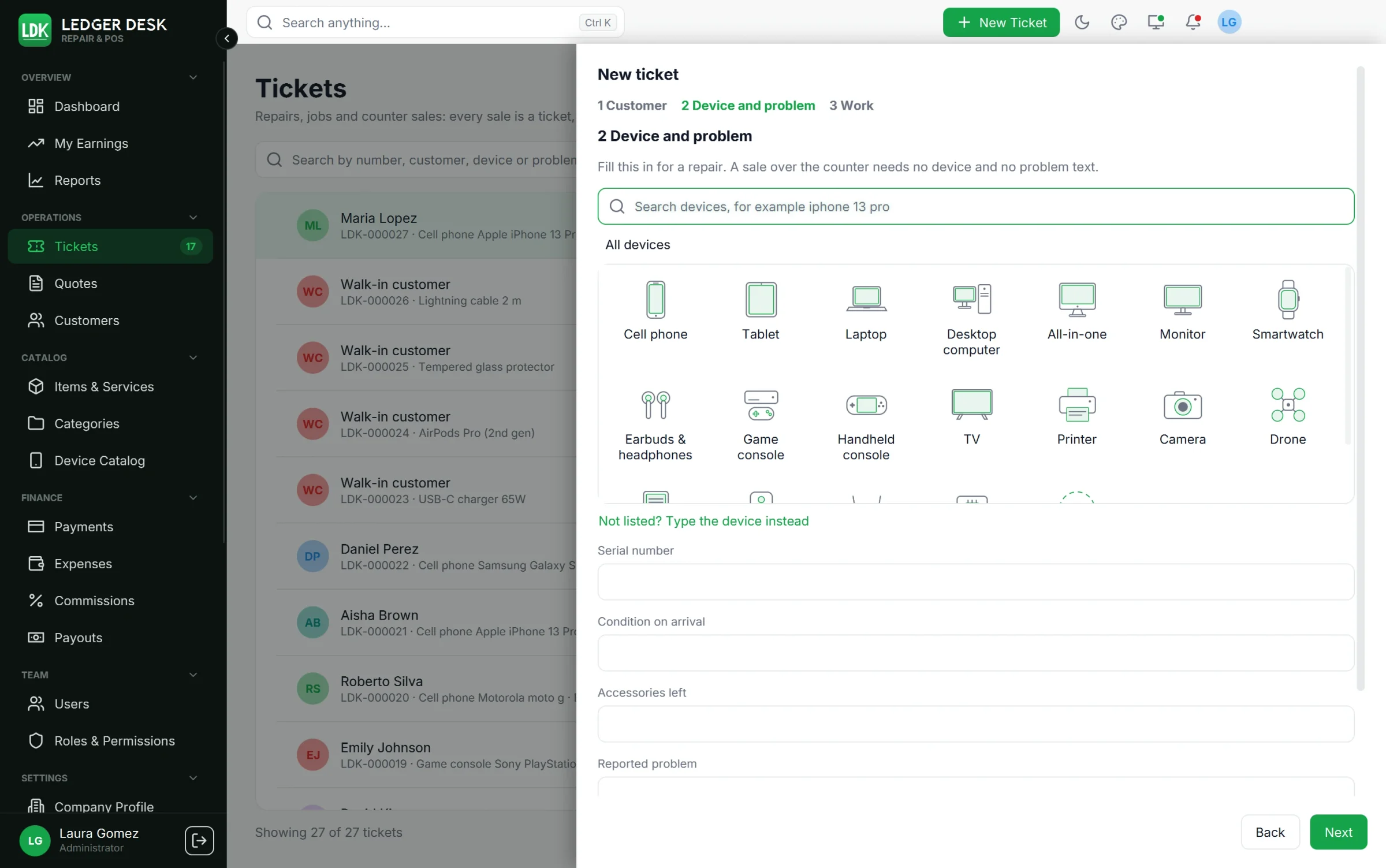
In step 2 of a new ticket (and in the device form of a customer), the device is picked in three steps:
- Kind of device, for example Cell phone.
- Brand, for example Apple (with its logo).
- Model, for example iPhone 13 Pro Max.
- Search: the box looks through all three levels at once. Typing
iphone 13 profinds the model directly. - The breadcrumb at the top goes back a level; Change picks another device.
- The arrow keys move between tiles and Enter or Space chooses one.
- Add on the spot: every level has a + tile (Add a kind of device, Add a brand, Add a model). Staff who create tickets can add what is missing without leaving the ticket.
- Not listed? Type the device instead switches to plain boxes for the type, brand and model. A device typed exactly like an entry of the catalog is linked to it. Pick from the device catalog switches back.
- If the catalog cannot be read, the device is simply typed.
The Device Catalog page
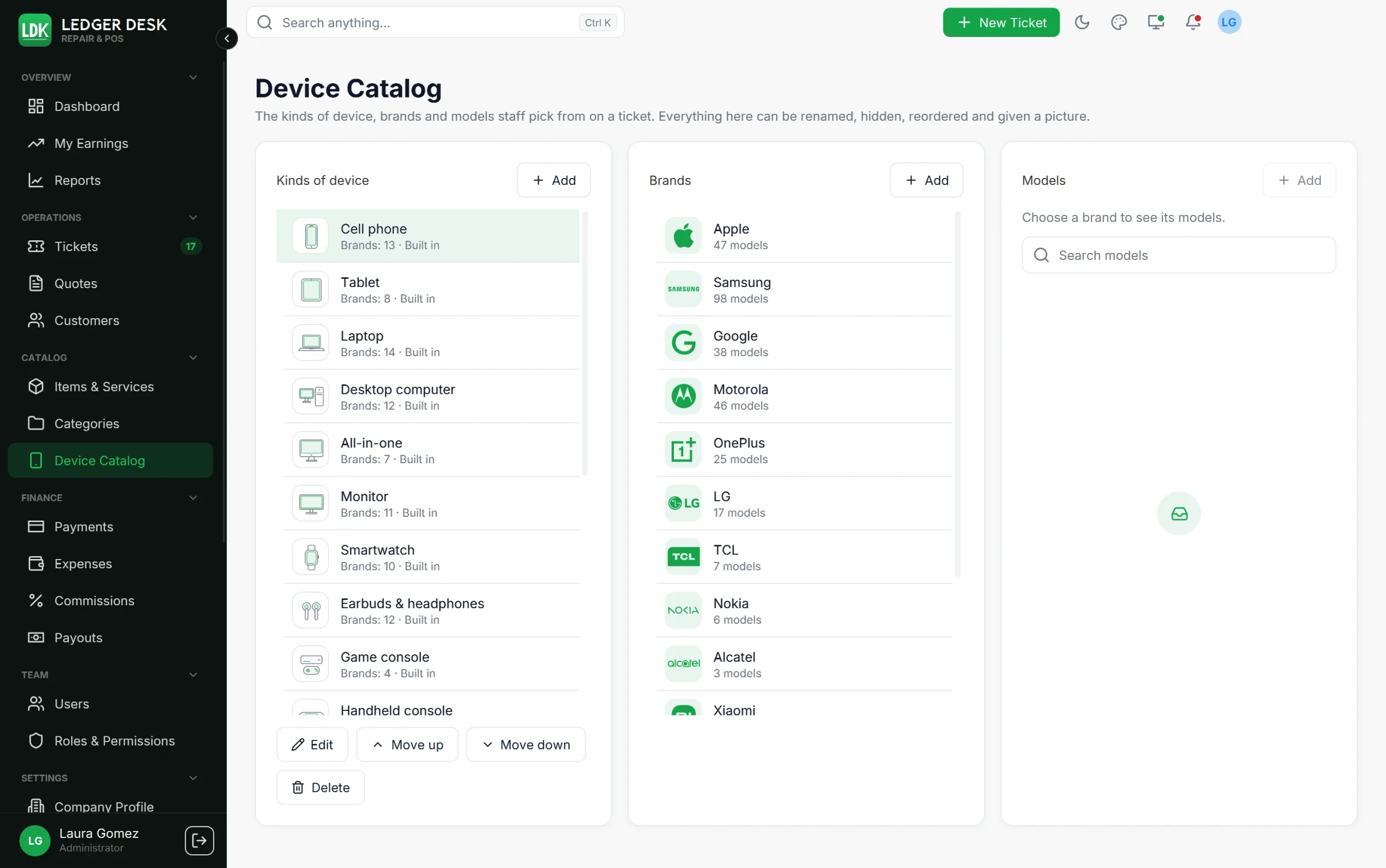
Open Device Catalog in the Catalog section of the sidebar. It shows three lists side by side (under each other on a narrow window): Kinds of device, the Brands of the chosen kind, and the Models of the chosen brand, with Search models.
| Action | What it does |
|---|---|
| Add | Adds a kind of device, a brand under the chosen kind, or a model (name and, optionally, the year it came out). |
| Edit | Renames an entry. A kind of device has a Name (English) and a Name (Spanish, optional). Renaming also renames it on the devices of customers. |
| Hide / Show | A hidden entry is no longer offered in the pickers but stays on existing devices. |
| Move up / Move down | Puts entries in the order you want. |
| Picture | Upload a picture or Remove the picture. Without one, Ledger Desk shows its own drawing of the kind of device; you can choose which drawing or icon. |
| Take out of this kind | Removes a brand from one kind of device, with its models under that kind. The brand itself stays. |
| Delete | Removes an entry no customer device uses. An entry in use can only be hidden. |
- Entries marked Built in came with Ledger Desk; they can be changed like your own.
- An entry you delete never comes back with a later update.
- Brands are shared with the item catalog; see Catalog for the brand manager, rename and merge.
Last updated October 31, 2026