
The readings table
The totals
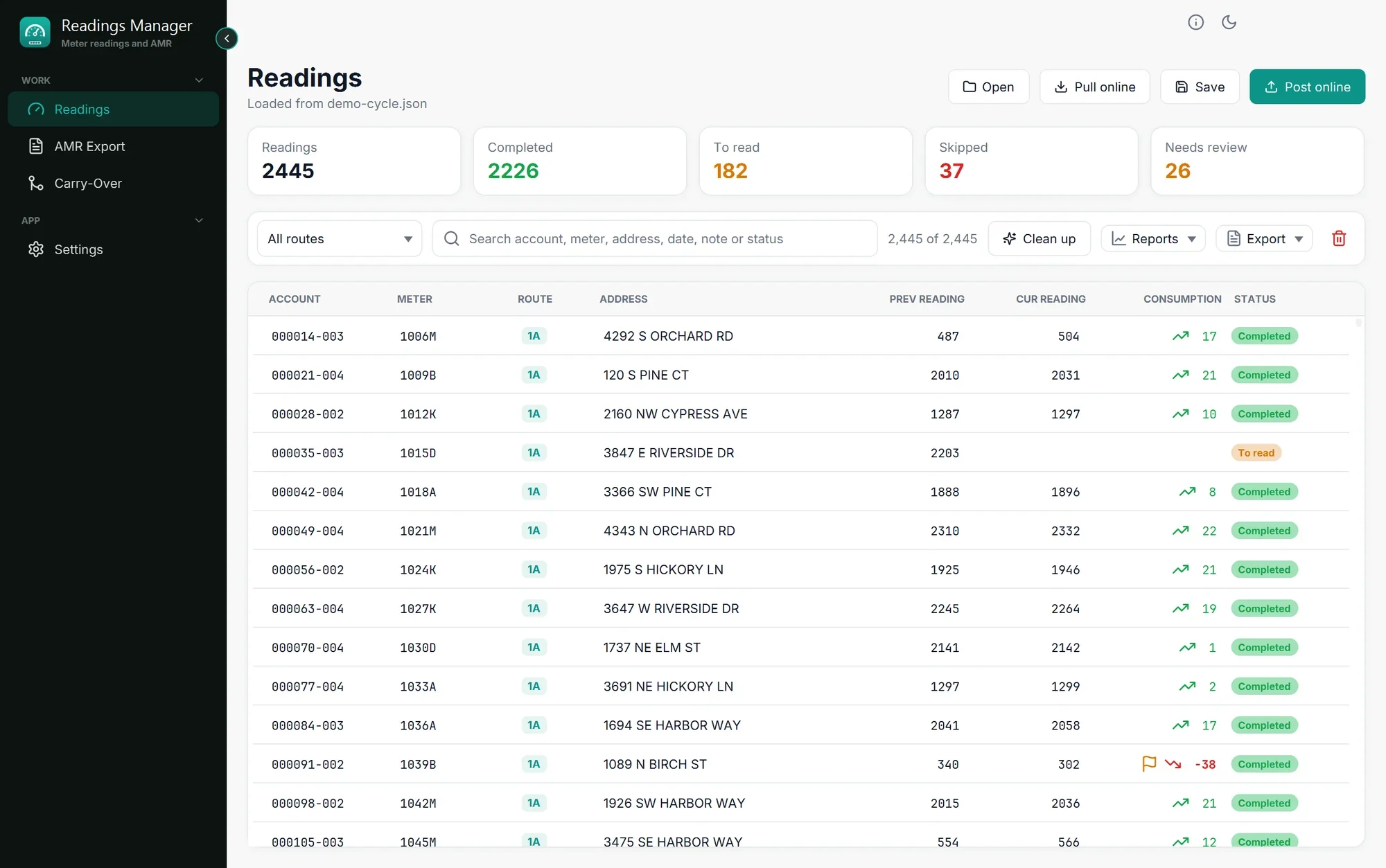
The boxes above the table count the readings of the cycle.
Box | Counts |
|---|---|
Readings | All the meters of the cycle. |
Completed | Meters that have a reading for this month. |
To read | Meters that have no reading yet and were not skipped. |
Skipped | Meters the reader could not read, usually with a note saying why (a dog, a locked gate...). |
Needs review | Readings lower than last month. Click this box to see them. |
Find a reading
All routes: click it and choose one route to see only its meters. Choose All routes again to see everything.
Search box: type part of an account, meter number, address, date, note or status (for example To read). The table shows only what matches while you type. The numbers next to the box say how many are shown, for example 12 of 2,445.
Sort: click a column title (for example ADDRESS) to sort by it. Click it again for the opposite order.
The columns
Column | Meaning |
|---|---|
ACCOUNT | The customer's account number. |
METER | The meter number. |
ROUTE | The reading route the meter belongs to. |
ADDRESS | Where the meter is. |
PREV READING | Last month's reading. |
CUR READING | This month's reading (empty if not read yet). |
CONSUMPTION | Water used: this month minus last month. A green arrow up is normal; a red arrow down and a flag mean the reading is lower than last month and needs a look. |
STATUS | Completed (green), To read (amber) or Skipped (red). |
Look at one reading
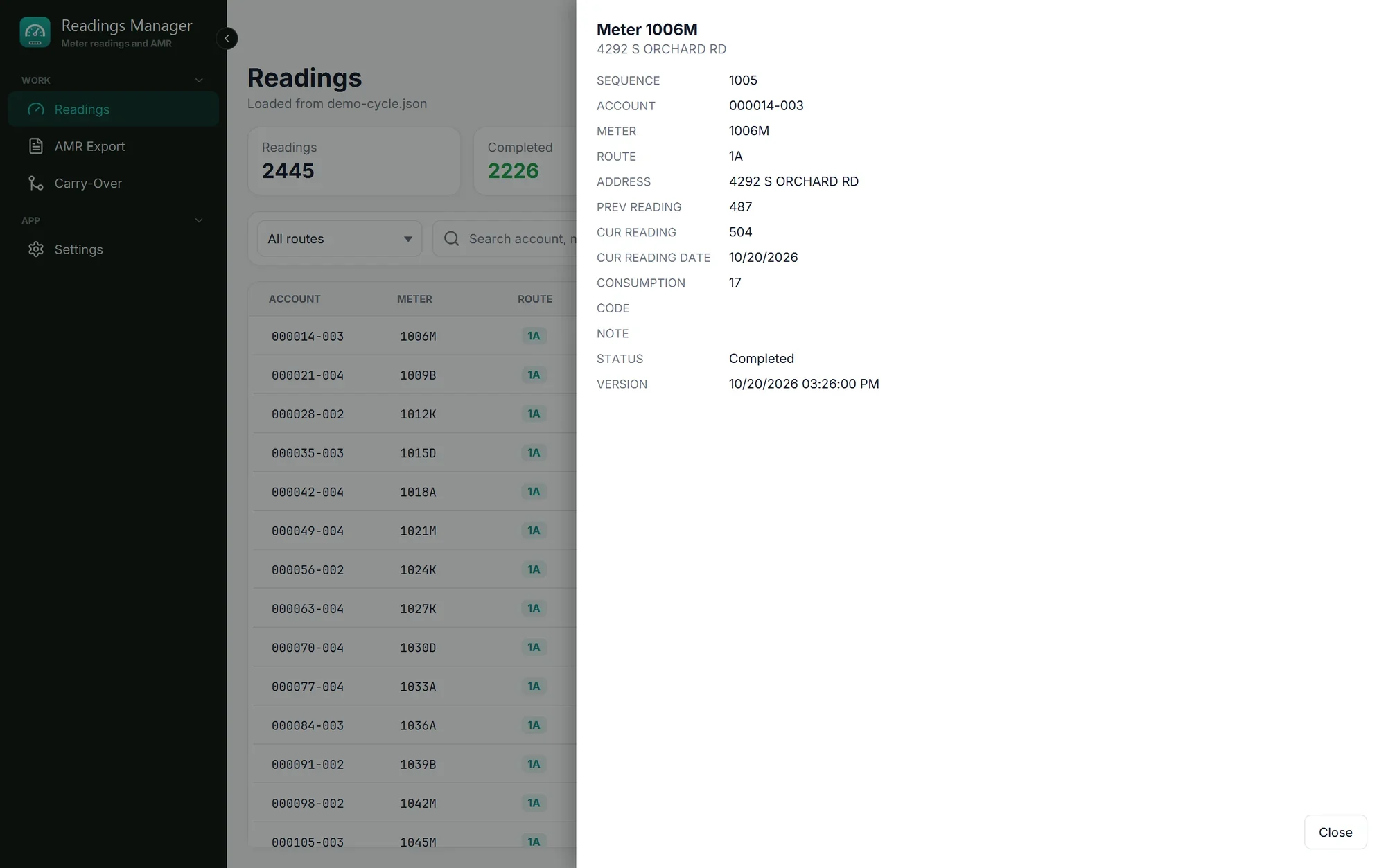
Double-click a row to see all of its details: sequence, account, meter, route, address, readings, reading date, consumption, code, note, status and version.
Right-click a row for a menu: Copy a value, open its Details, or Remove this reading.
If something goes wrong
What you see | What to do |
|---|---|
The table shows fewer readings than expected. | A route or a search is set. Choose All routes and empty the search box. |
The table is empty and says No readings yet. | Nothing is loaded. See Load a cycle. |
A column is missing. | The window is too small. Make it bigger. |
Nothing to copy: this field is empty. | That reading has no value in that field, so there is nothing to copy. |
You removed a reading by mistake. | Open the file again (it is not changed until you save), or use Undo if the message still shows it. |
Still stuck? See Troubleshooting, or open a support ticket.
Last updated October 28, 2026