
Introduction
Mergi is a PDF toolkit for Windows: a real PDF viewer plus the tools people reach for every day. Merge files, organize and split pages, export, compress, protect, stamp, redact, sign and fill in forms. Every tool works on your computer. Your files are never uploaded anywhere.
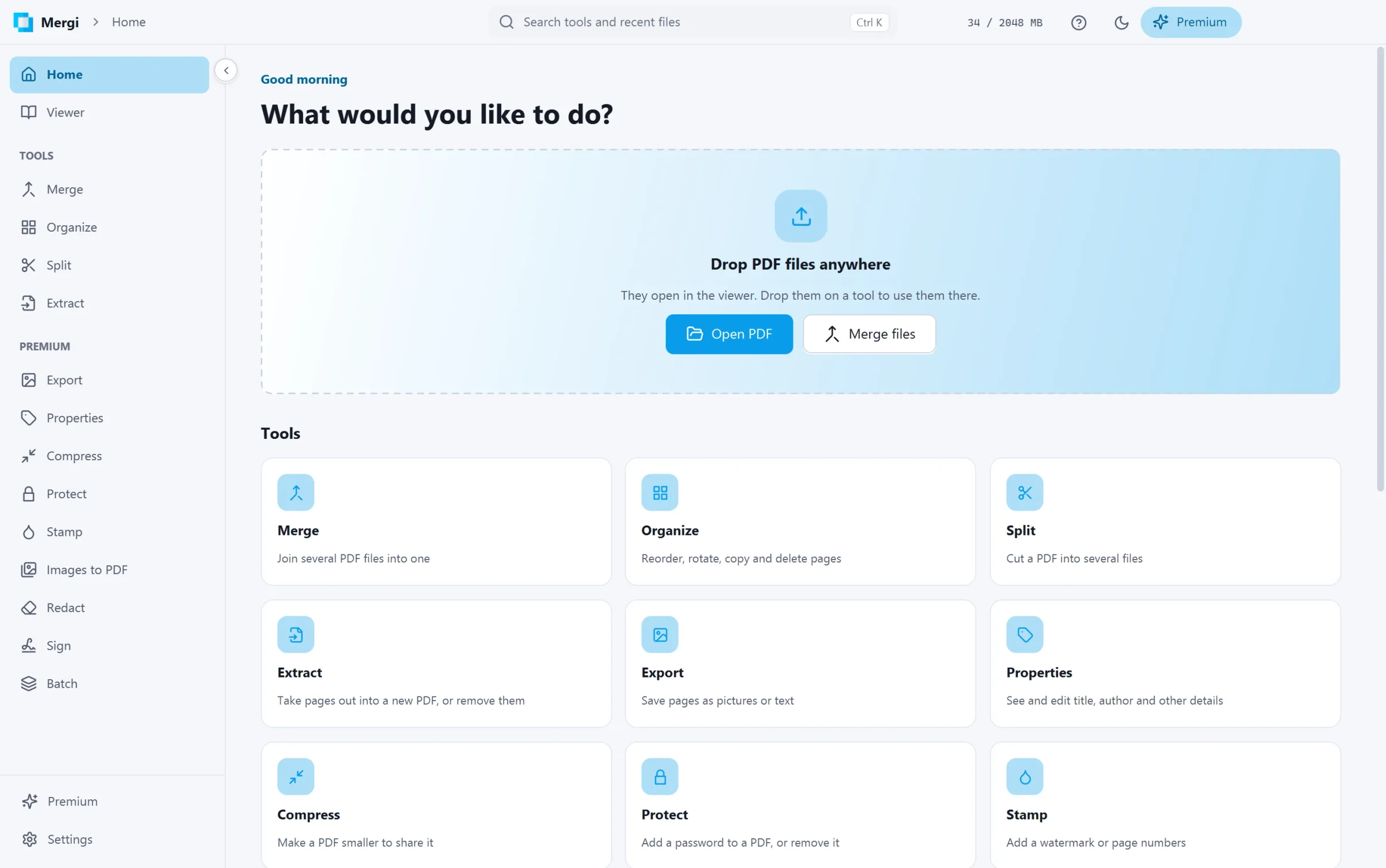
Free, and Premium when you need more
The viewer and the everyday tools are free, with no time limit, no watermark and no sign-up:
- Viewer: tabs, thumbnails, bookmarks, select and copy text, search, links, zoom and printing.
- Merge, Organize, Split and Extract.
- Reading the properties of a file and checking its signatures.
Mergi Premium adds the tools for serious PDF work: Export, editing Properties, Compress, Protect and Unlock, Stamp (watermarks and page numbers), Images to PDF, Redact, Sign, Fill forms and Batch. It costs $7.99 a month or $44.99 a year. See Mergi Premium and your licence.
What you need
- Windows 10 or Windows 11, 64-bit.
- About 300 MB of free disk space.
- An internet connection only for Premium, its prices and updates (and, when you use them, Google fonts and trusted timestamps). Everything else works offline.
In this guide
- Install Mergi and your first start.
- The viewer.
- The free tools: Merge, Organize, Split, Extract.
- The Premium tools: Export, Properties, Compress, Protect, Stamp, Images to PDF, Redact, Sign, Fill forms, Batch.
- Settings, updates, keyboard shortcuts and privacy.
- Troubleshooting and the release notes.
Last updated October 31, 2026