
Settings
Open Settings at the bottom of the sidebar, or press Ctrl+,. Every choice applies at once and is saved by itself: there is no Save button.
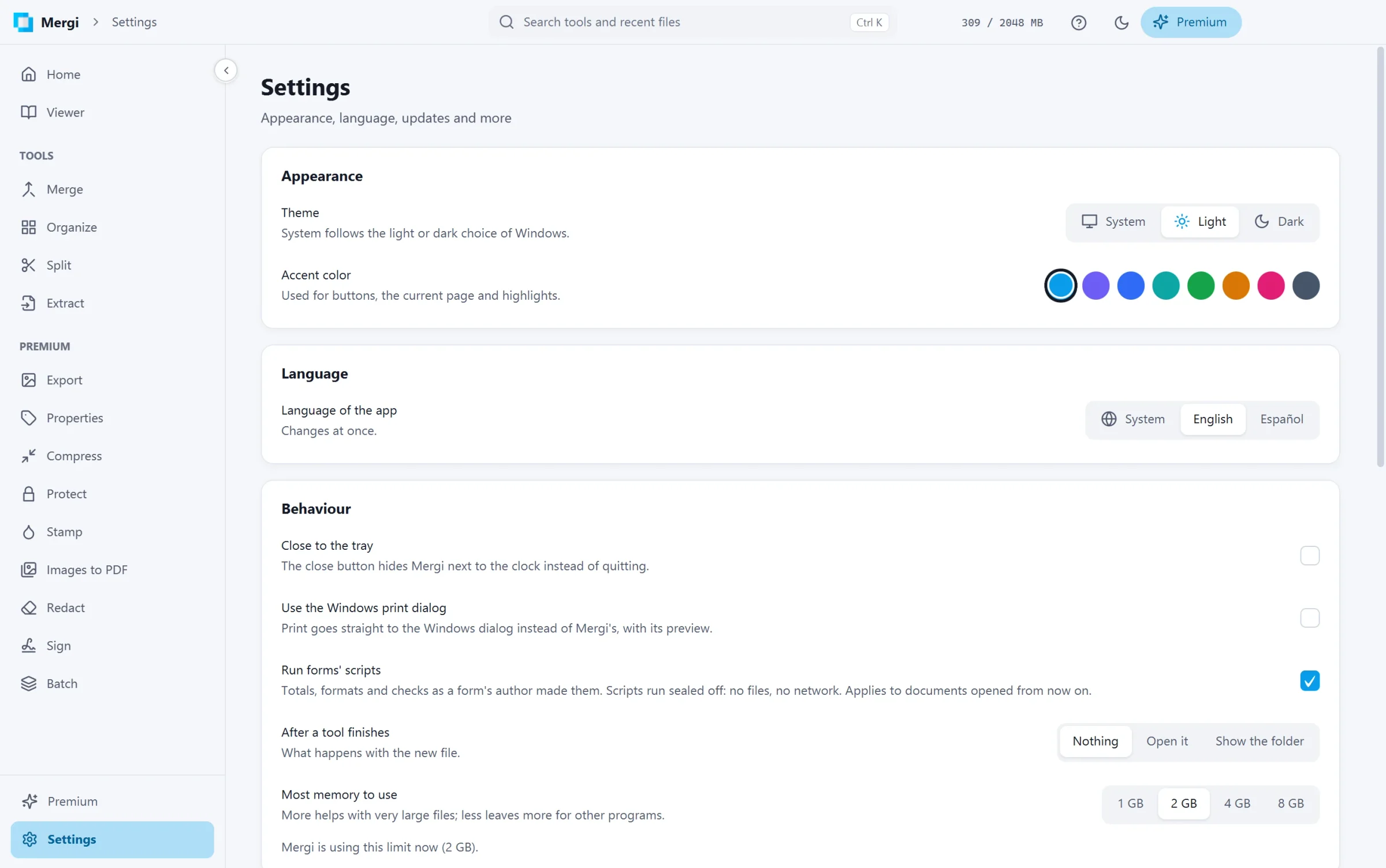
Appearance
- Theme: System follows the light or dark choice of Windows, live; or always Light or Dark. The moon and sun button in the title bar switches too.
- Accent color: sky (the default), violet, blue, teal, emerald, amber, rose or graphite. It colours the buttons, the current page and the highlights.
Language
System (English or Spanish, following Windows), English or Español. The change applies at once.
Behaviour
- Close to the tray: the close button hides Mergi next to the clock instead of quitting. Click the tray icon to bring it back; its menu also opens a PDF, checks for updates and quits. When a job finishes while the window is hidden, a small card tells you, and a click opens the result.
- After a tool finishes: Nothing, Open it (the new file) or Show the folder.
- Run forms' scripts: totals, formats and checks of a form as its author made them. Scripts run sealed off (no files, no network). It applies to documents opened from then on.
- Use the Windows print dialog: Print goes straight to the Windows dialog instead of Mergi's.
- Most memory to use: 1, 2, 4 or 8 GB. More helps with very large files; less leaves more for other programs. It applies after a restart, and Restart now does it for you.
Output folder
Where new files go. Empty: next to the file you started from.
Updates
Check for updates automatically (on by default) and Check now. See Updates.
Privacy
The Send usage and update reports switch and a link to the privacy policy. See Privacy.
About
The version, the website, support, the User guide, What's new, Take the tour (the first-use tour again) and the Licence agreement.
Last updated October 31, 2026