
Properties
On this page
See and change the details stored inside a PDF: title, author, subject, keywords and the program it was created with. Reading them is free; saving changes is part of Premium.
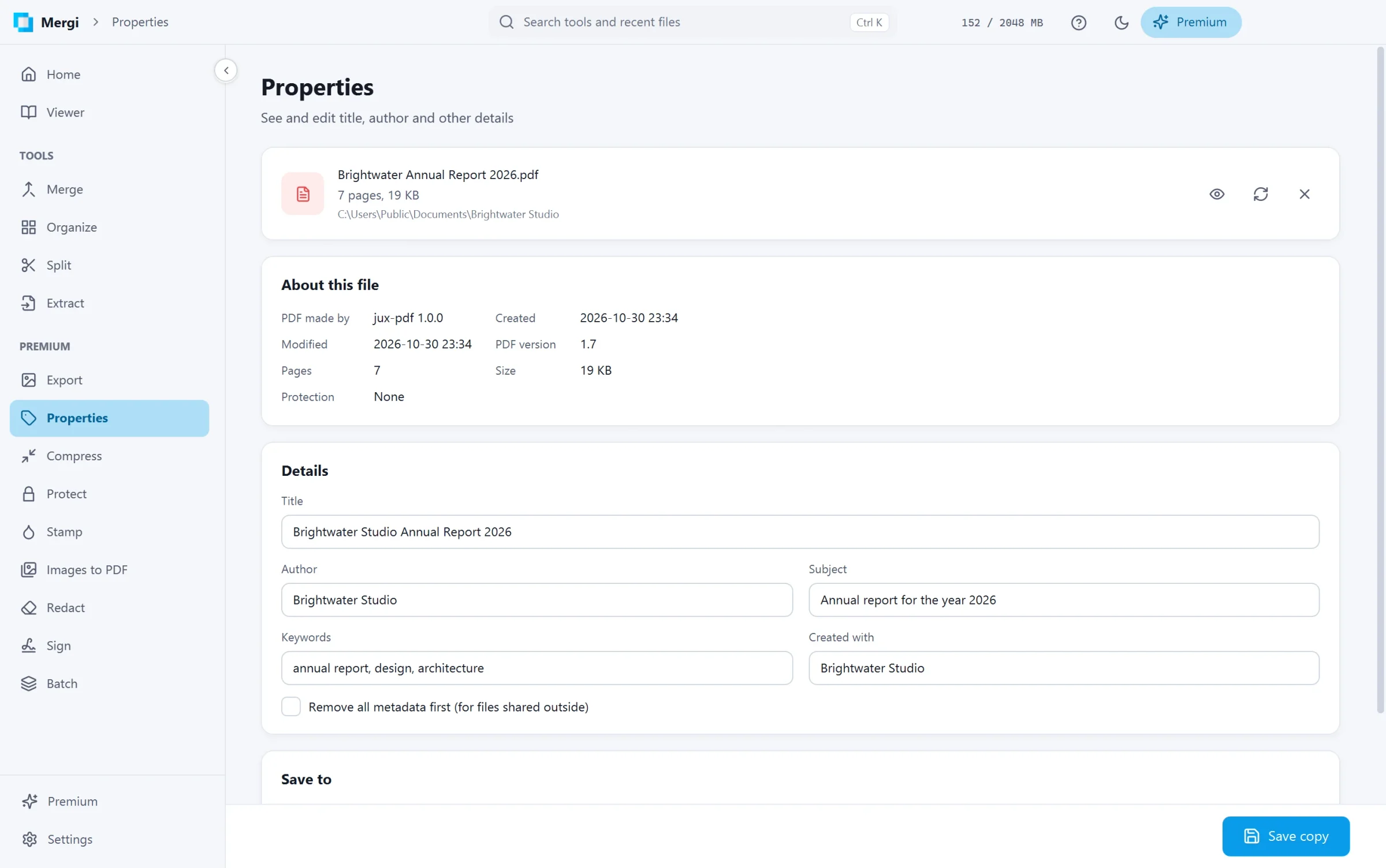
About this file
The top card shows the facts: the program that made the PDF, when it was created and last changed, the PDF version, the number of pages, the size and whether it is password protected.
Edit the details
- Choose the file.
- Change Title, Author, Subject, Keywords and Created with.
- Tick Remove all metadata first before sharing a file outside: everything the file says about itself is removed, and only what you typed is written.
- Check Save to and click Save copy.
Tip: the title is what many PDF readers show in their title bar instead of the file name.
Last updated October 31, 2026