
Organize
On this page
Arrange pages your way: reorder, turn, copy and delete them, from one file or several, and save the result as a new PDF.
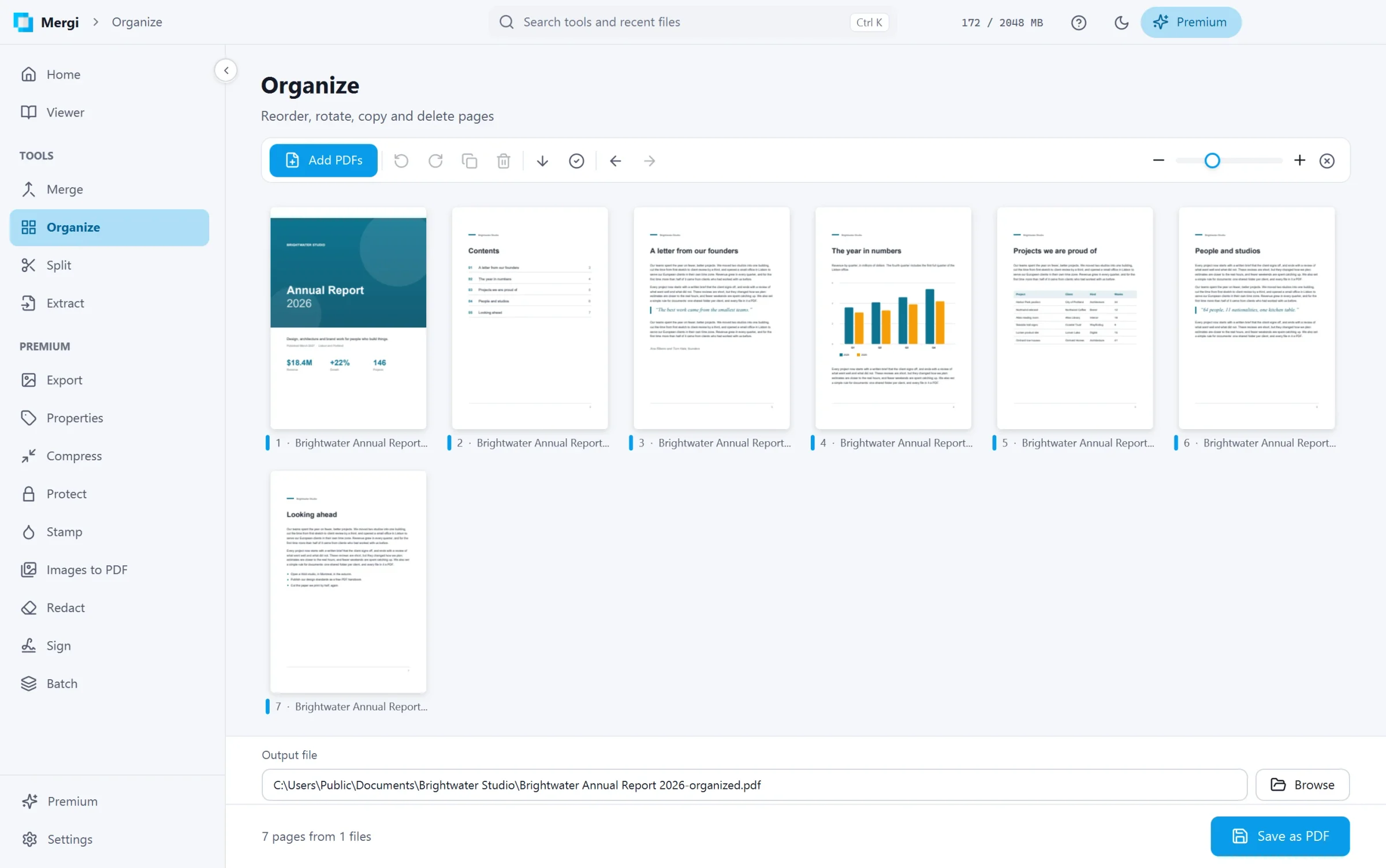
Steps
- Click Add PDFs, or drop files on the page. Pages of several files can be mixed; each file has its own colour so you can tell them apart.
- Select pages: click one, Ctrl+click to add more, Shift+click for a run of pages, or Select all.
- Change them:
- drag pages to a new place;
- Turn left and Turn right;
- Duplicate the selected pages;
- Delete pages;
- Reverse order.
- Changed your mind? Undo (Ctrl+Z) and Redo (Ctrl+Y). Clear everything starts again.
- The slider at the top right makes the thumbnails larger or smaller.
- Check Save to and click Save as PDF.
Good to know
- Bookmarks of the pages you keep are kept, pointing at their pages in the new order.
- The originals are never changed.
Last updated October 31, 2026