
Protect
On this page
Add a password to a PDF, or remove the password of a file you can open.
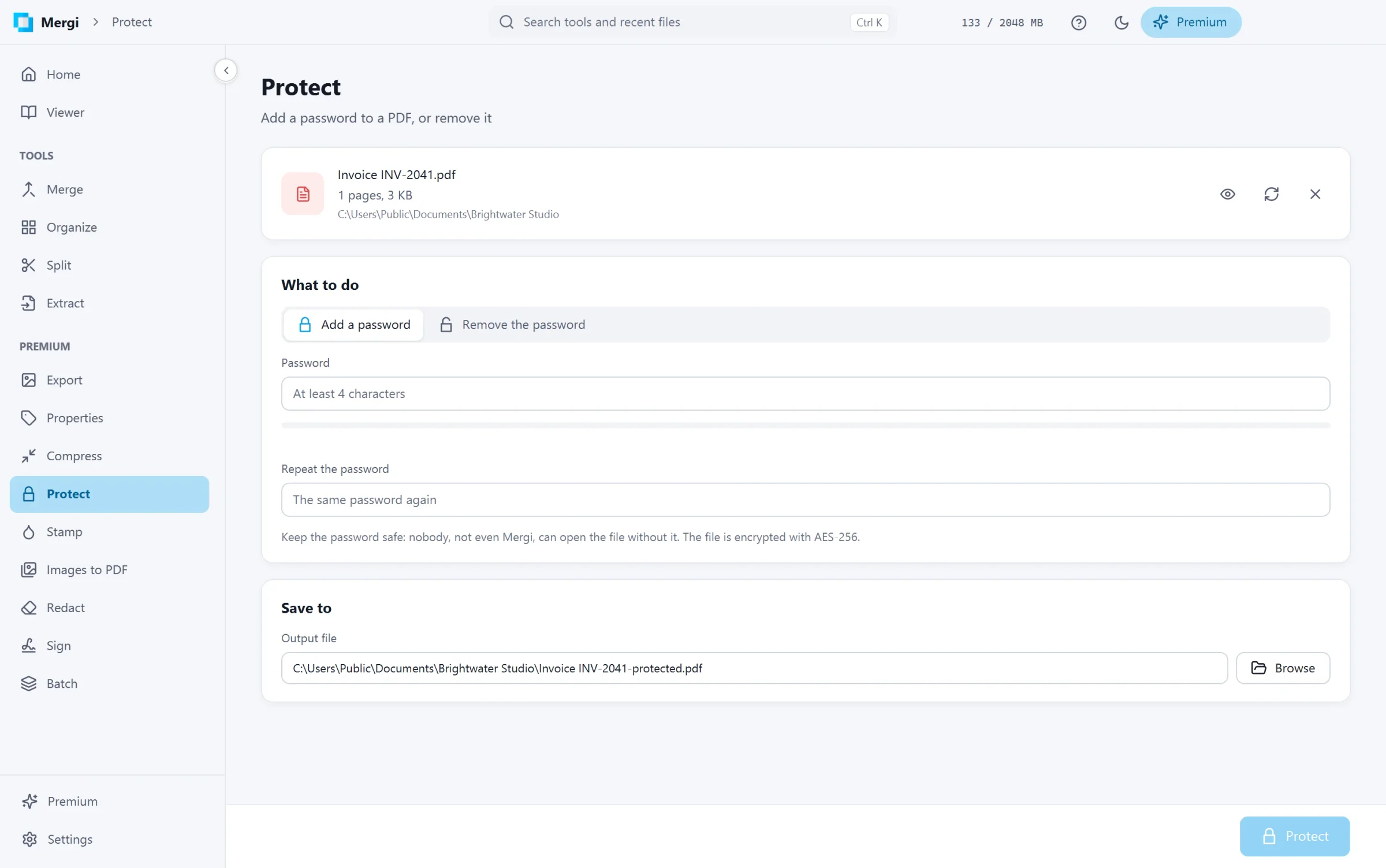
Add a password
- Choose the file.
- Pick Add a password.
- Type the Password (at least 4 characters) and type it again under Repeat the password. Mergi shows how strong it is.
- Check Save to and click Protect.
The copy is encrypted with AES-256. Keep the password safe: nobody, not even Mergi, can open the file without it.
Remove a password
- Choose the file. Mergi asks for its password to open it.
- Pick Remove the password.
- Click Remove password. A copy without the password is written.
A file that limits what can be done with it also needs its permissions password to be unlocked; Mergi asks for it.
Good to know
Other tools that change a protected file (Compress, Properties, Stamp, Remove pages, Redact and Sign) write a file that stays protected like its source, with the same password and limits. Mergi remembers the password for the session, so opening the result does not ask for it again.
Last updated October 31, 2026